
IBAN Management Administration Panel Overview
The IBAN Management Service module provides a centralized interface for managing bank accounts and transfers. As a Payment Institution, you are granted extended administrative capabilities, allowing you to manage the full lifecycle of banking products and maintain regulatory compliance.
The document is divided into sections that describe the various components of the system. Each section contains a screen presenting the functionality and a detailed description of the states occurring in it.
You can find more about the IBAN Management Service product here.
Purpose & scope
This product guide provides a high-level overview of Admin Panel IBAN Management section.
|
Name |
Description |
| Transaction & bank account monitoring |
Provides continuous visibility into all bank accounts and transfers. You can track transaction history, verify account and transfer statuses and details. |
|
Account generation |
It provides the ability to generate a bank account assigned to a specific balance. |
|
AML Decision Management |
It allows payment institutions to exercise direct control over compliance processes. You can manage and execute AML-related decisions for both incoming and outgoing transfers, including reviewing and approving or rejecting transactions based on established rules and your risk assessment. |
Terminology
This section explains a number of key terms and concepts used in this document.
|
Name |
Description |
| Partner |
An institution using Verestro products. Essentially, a Partner can be referred to as a Verestro client. |
|
Operator |
User using the Panel regardless of role or level of rights. |
|
AML Operator |
User using the Administration Panel which actions are connected with Anti-Money Laundering area. Issuing Institution representative. |
|
Upload |
The process of transferring (importing) the bulk transfer data files to the banking system. |
| Master balance | The total funds in Master Account. Master Account is the main account number assigned to the Partner in the bank's system |
| Technical balance | A balance that takes into account funds pending finalisation, such as held transfers for AML reasons. |
Transaction & bank account monitoring
Transfers
|
The
Each entry provides access to all essential transfer data. By selecting a specific transaction, you can access:
For enhanced transparency and streamlined investigation, the details view allows for direct navigation to the associated user profile or related transfers, ensuring all necessary information is just one click away. |
|
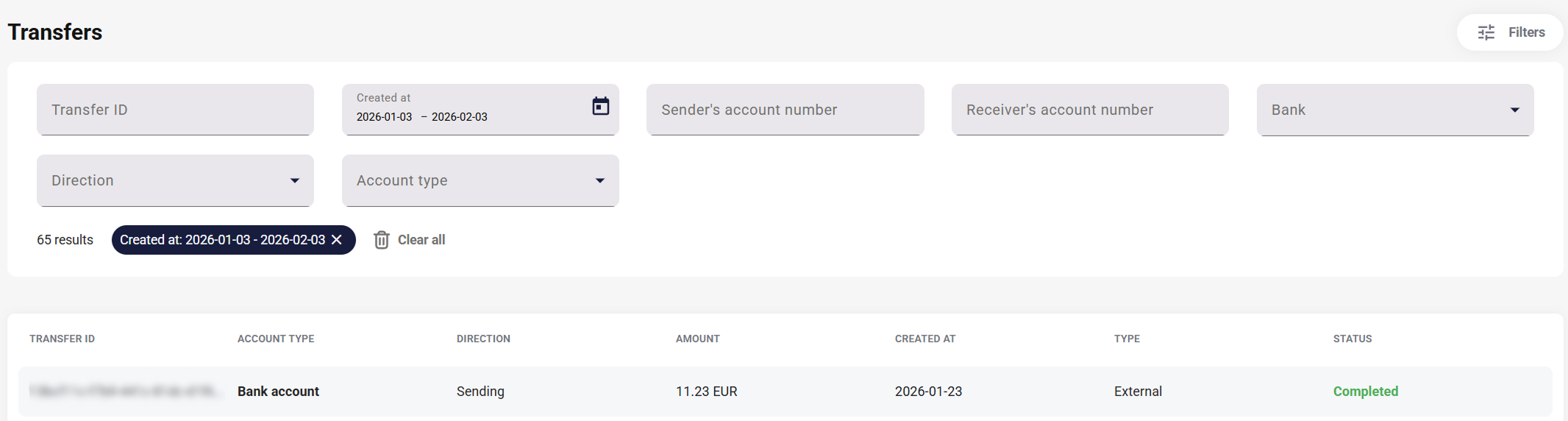
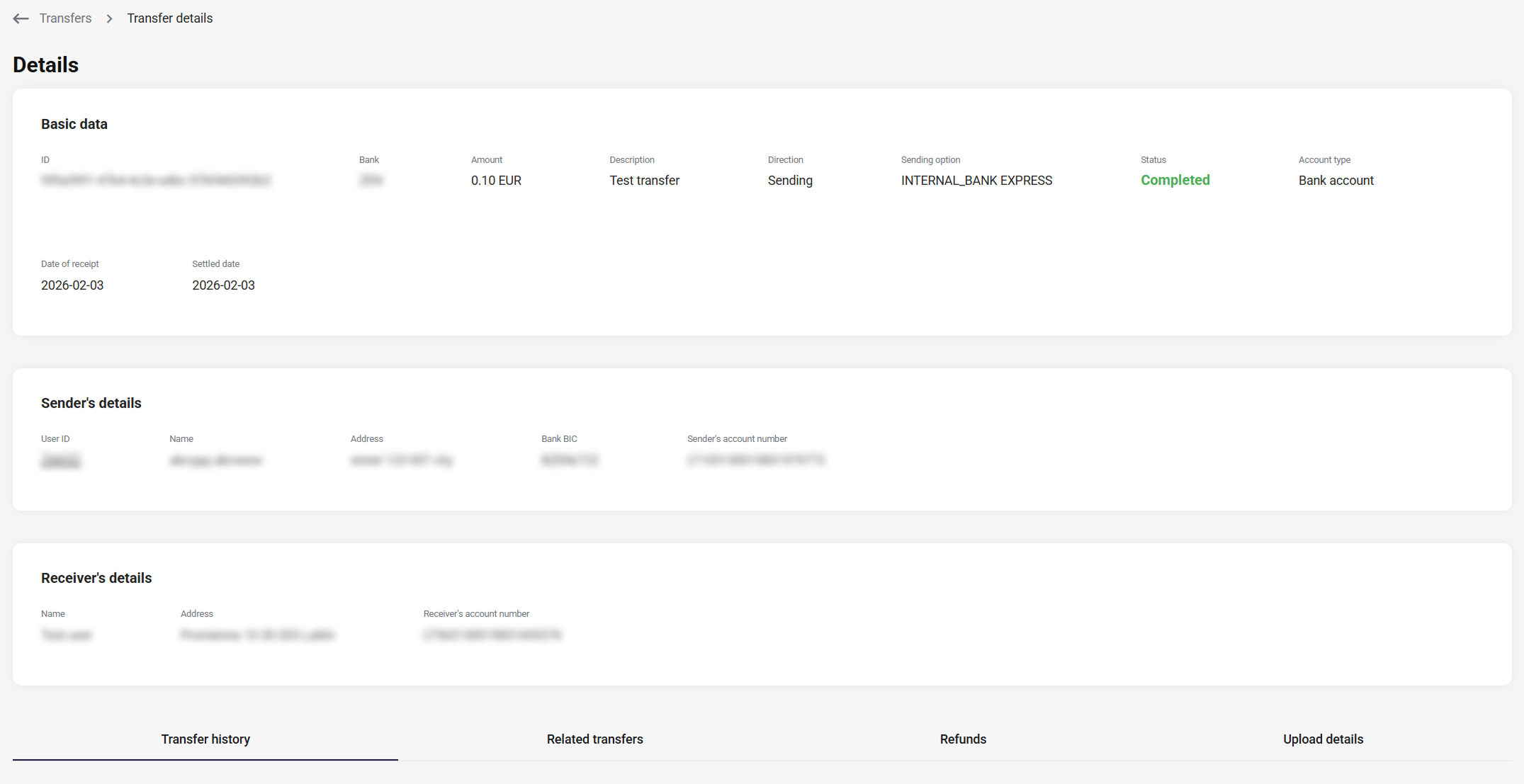
The list view allows you to access the details of any transfer. It includes the specific transfer history and its connections to others. Furthermore, you can navigate to the tab of a user holding an Antaca balance by clicking on their ID.
|
Name |
Description |
| Transfer history |
The history of changes made during transfer execution, including the date, owner, and the name of the change. |
|
Related transfers |
All transfers associated with the main transaction, e.g., moving funds to the technical balance when a transfer is held. |
|
Refunds |
Refunds made within a given transfer, e.g. after rejection by the department or AML rules. |
|
Upload details |
Applies to transfers sent to the bank for execution via bank upload. This doesn't apply to internal transfers (within the same implementation) or incoming transfers. |
Bank accounts
|
The
You can check the bank
Just like in the Transfers tab, you can filter the results. The available filters are:
You can view all accounts in the Accounts tab, but generation is handled via the specific customer profile, found here. |
|
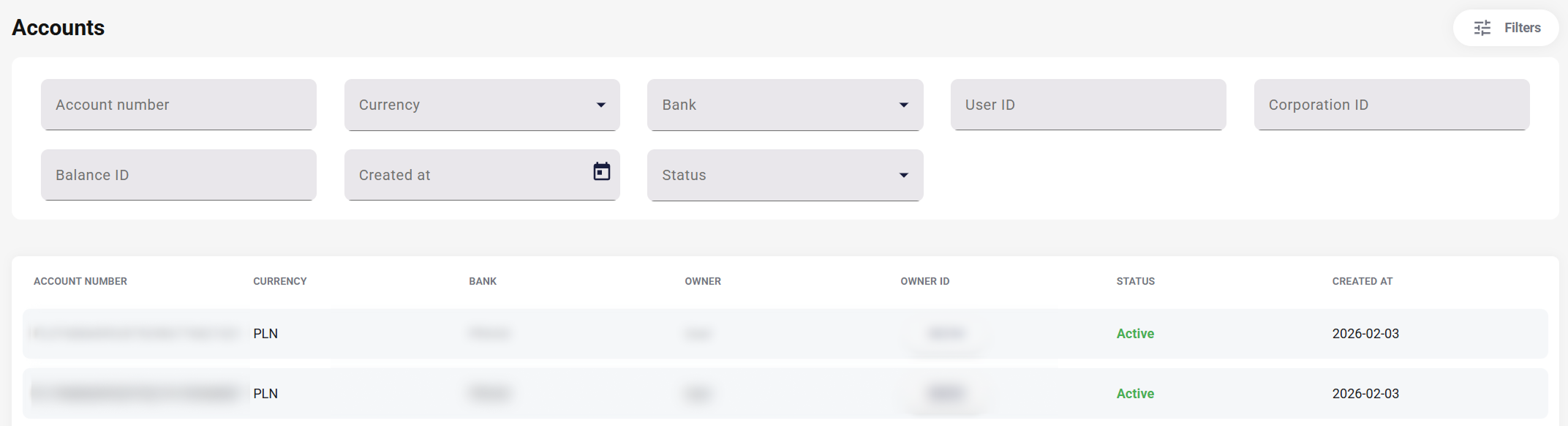
After entering the details of a specific account, both the information from the list and also the Bank BIC and Balance are visible- with redirection to the tab of this balance.
Account generation
Generate bank account
|
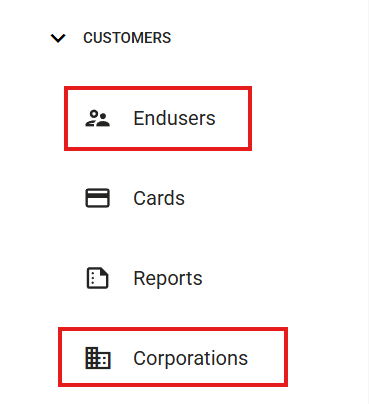
Depending on your business model and configuration, your customers may consist of endusers or corporations. To generate an account for a customer, follow these steps:
If an account has already been generated for a given balance, this section allows you to view or delete it.
You can find more information about bank accounts and their generation flow here. |
|
AML Decision Management
Transfers for review
|
This section contains transfers separated from the main pool (found in the
The list view displays the following transfer parameters:
Records in the Transfers for Review tab can be filtered using the following parameters:
Access to the functionalities in this section is limited to the AML team. |
|
|
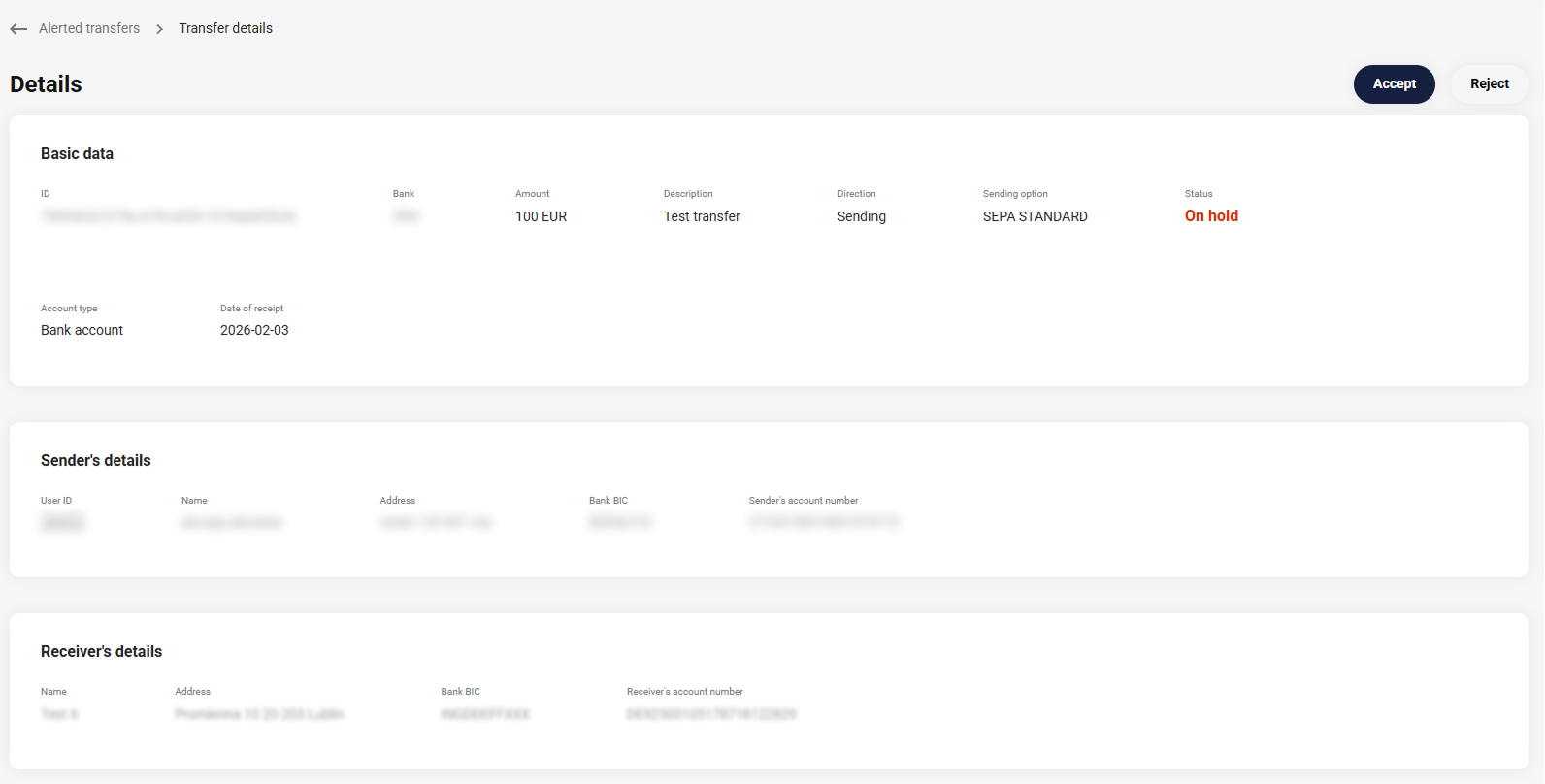
A held transfer can be either These actions are available from both the list view and the details view. The details view is identical to the one in the Transfers tab.
The outcome of rejecting a transfer depends on its direction:
|
|
|
|
If the transfer is rejected, the AML operator from Payment Institution defines further reprocessing of the transfer. Depending on the case, the transfer may return to the original sender or change the intended recipient.
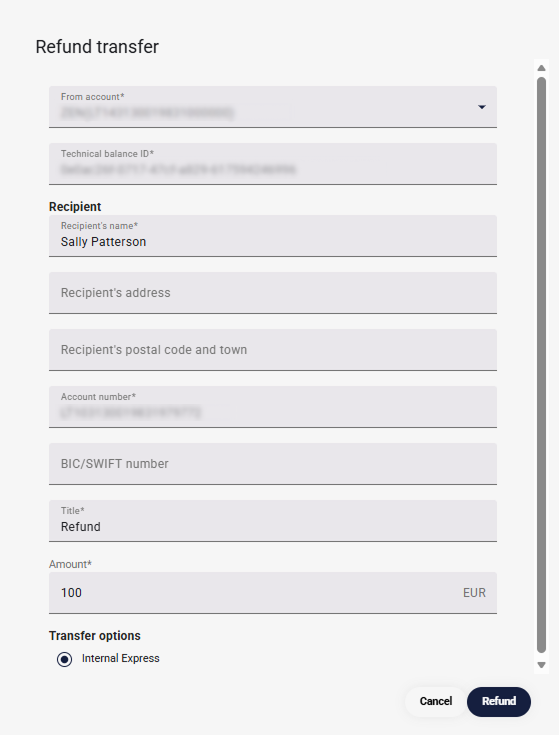
After rejecting a transfer, the AML operator has the option to initiate a refund of the given transfer. This will be visible in the transfer history module, as well as in the
The sum of the amounts of refund transfers cannot exceed the amount of the original transfer.
Manual refunds are available once an incoming transfer is rejected.
Since a held transfer results in funds being posted to a technical balance, both approval and refunding require a transfer of funds from the technical balance, which will be reflected in the transfer history.
|
Roles and labels
Below are the default function settings for described product. In addition to roles, there are also labels for actions in the IBAN Management area, which extend the role's permissions. The roles of ADMIN, MANAGER, EMPLOYEE overlap with the ADMIN, MANAGER, EMPLOYEE labels.
|
Roles |
Labels |
| Admin |
Admin |
| Manager |
Manager |
| Employee |
Employee |
| Transfer_maker | |
| AML |
|
Action |
Admin |
Manager |
Employee |
Transfer_maker |
Aml |
| Views | X | X | X | ||
| Display bank account number details |
X | X | X | X | |
| Display bank accounts list | X | X | X | X | |
| Reveal bank account | X | X | X | X | |
| Display main accounts | X | ||||
| Create bank account | X | X | |||
| Assign main bank account | X | ||||
| Delete bank account | X | X | |||
| Display transfers |
X | X | X | ||
| Display transfers details | X | X | X | ||
|
Make transfer (create, cancel, calculate options) |
X | X | |||
| Accept transfer | X | X | |||
| Reject transfer | X | X | |||
| Display refunds | X | X | X | ||
| Display transfers for review | X | X | X | ||
| Display transfer history | X | X | X | ||
| Display related transfers | X | X | X | ||
| Display transfer bank upload | X | X | X |