
Crypto Widget - webview/iframe for your application
Crypto Widget
Overview
Crypto Widget is a Verestro-hosted card widget for partner web and mobile applications. The widget is opened inside an iframe or WebView and allows the end user to view card data, transactions, limits, and selected card actions.
The partner application remains responsible for the customer journey before the widget is opened. Verestro is responsible for the widget session, card-data communication, card-data encryption, and the user interface displayed inside the widget.
Sensitive card data, such as PAN and CVV/CVC, is not processed by the partner backend. The partner backend only issues a Trusted Identity token that allows Verestro System to identify the end user and start the widget session.
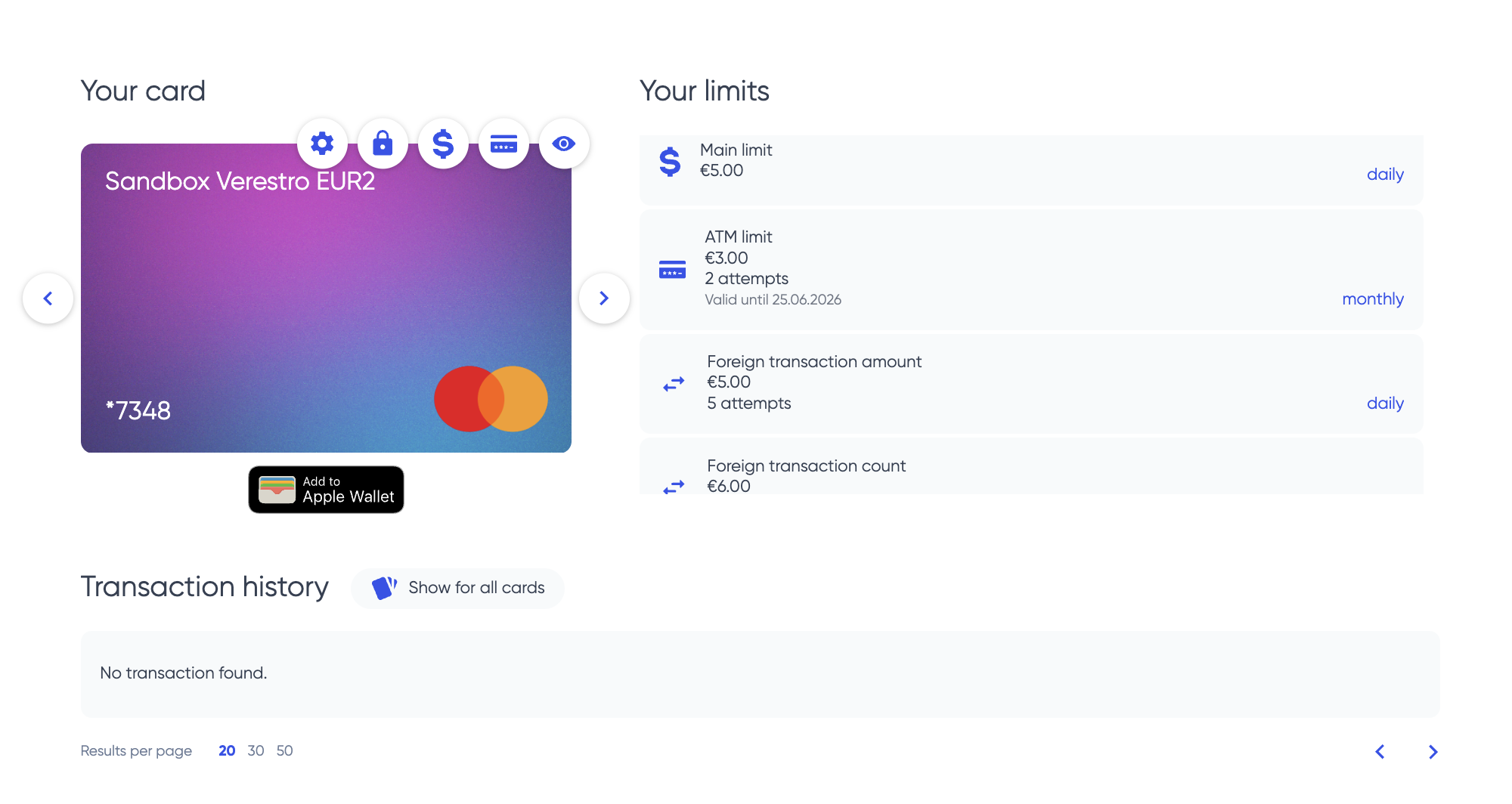
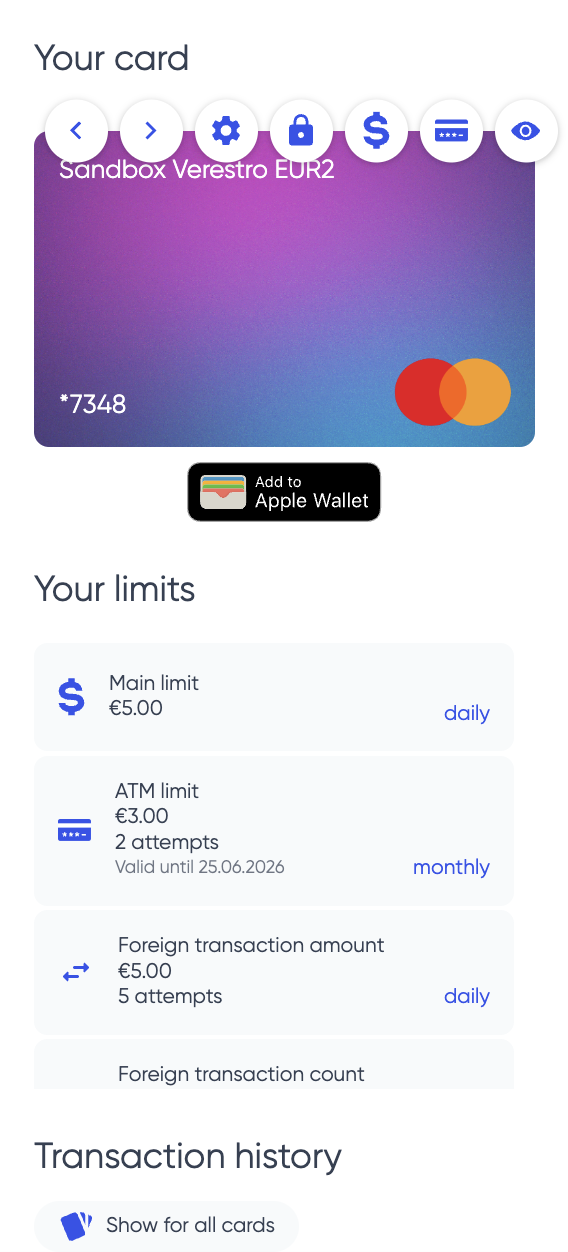
Business Overview
Crypto Widget is dedicated to partners that want to provide card functionality without building their own cardholder interface.
The partner is responsible for:
- customer acquisition,
- user verification and KYC,
- WPIN creation before LifeCycle user creation,
- terms and conditions acceptance,
- fee disclosure,
- card issuance trigger,
- opening the widget from the partner application.
Verestro provides:
- hosted card widget,
- card list and card status,
- card visual (Verestro displays card visual provided by Partner),
- transaction list and transaction details,
- limits view and limits update if enabled,
- sensitive card-data reveal protected by local WPIN check,
- encrypted card-details handling,
- widget session handling in Verestro System.
Integration Model
The integration is based on three main steps:
- Create the end user in Verestro System through LifeCycle API.
- Issue a Trusted Identity token for the end user.
- Open Crypto Widget with the Trusted Identity token.
Partner application
  -> requests Trusted Identity from partner backend
Partner backend
  -> issues Trusted Identity for an existing Verestro System user
Partner application
  -> opens Crypto Widget URL with Trusted Identity
Crypto Widget
  -> exchanges Trusted Identity for a widget session in Verestro System
Crypto Widget
  -> displays card data according to tenant configuration
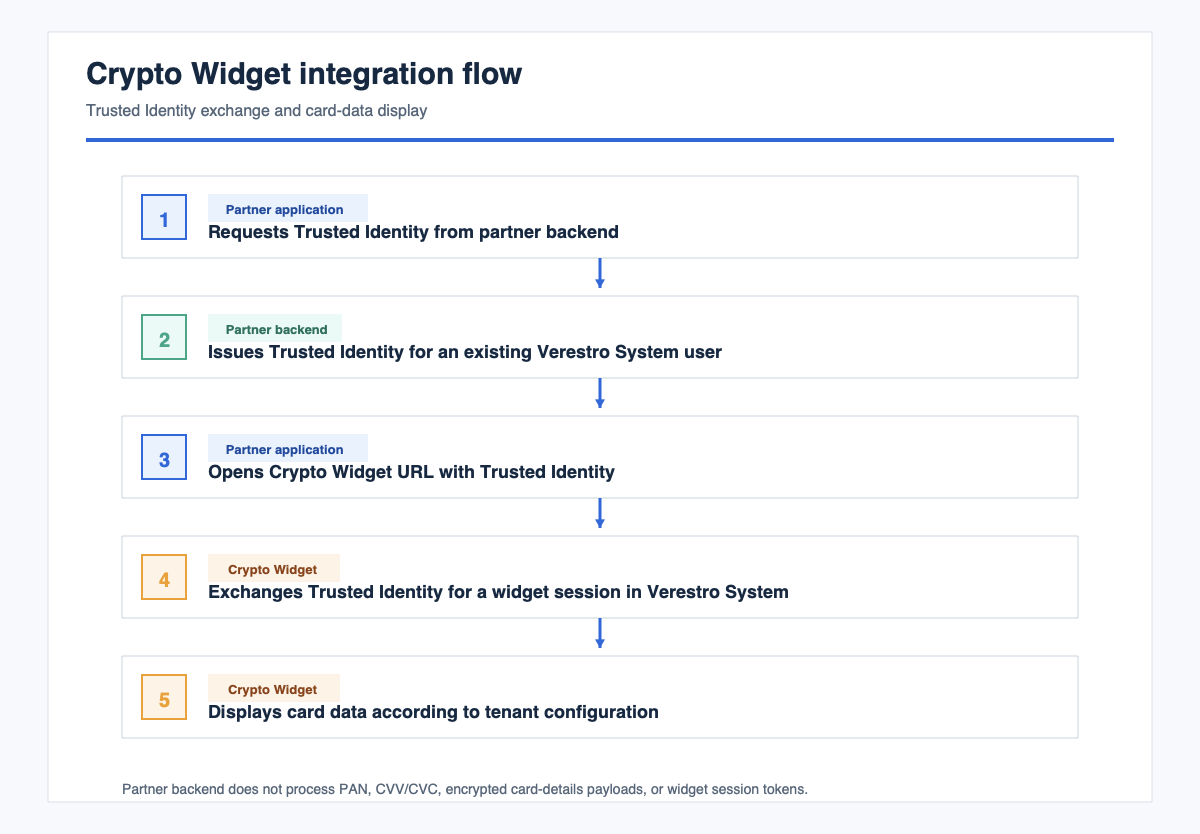
The partner must not read widget session tokens, card PAN, CVV/CVC, or encrypted card-details payloads.
Responsibilities
| Area | Partner | Verestro |
|---|---|---|
| User onboarding | Build onboarding, KYC, WPIN creation, consents, and fee disclosure | Provide integration requirements and LifeCycle API |
| WPIN | Collect WPIN before LifeCycle user creation and inject it during user creation | Use WPIN as the local gate before sensitive card data is shown |
| User creation | Create the end user in Verestro System through LifeCycle API | Process the created user in Verestro System |
| Card issuance | Trigger card issuance through the agreed server-to-server process | Provision card data in issuer-side systems |
| Trusted Identity | Issue signed Trusted Identity tokens from the partner backend | Verify Trusted Identity and create widget sessions |
| Widget hosting | Embed the provided widget URL | Host, configure, secure, and deploy Crypto Widget |
| Sensitive card data | Do not request, proxy, log, or store PAN/CVV | Display sensitive card data only after successful local WPIN check |
Requirements
Before opening Crypto Widget for an end user, complete all requirements in this section.
Partner Requirements
- Partner onboarding with Verestro is completed.
- Partner receives test and production widget URLs.
- Partner receives LifeCycle API and card-issuance API access.
- Partner receives the required Trusted Identity claims.
- Partner provides the certificate used to verify Trusted Identity signatures.
- Partner provides web origins or native WebView details for iframe/WebView allowlisting.
- Partner backend can issue short-lived Trusted Identity tokens.
End-User Requirements
- End user exists in Verestro System.
- End user was created through LifeCycle API.
- End user has WPIN injected during LifeCycle user creation.
- End user has an issued card, or card issuance was triggered before opening the widget.
- End user is identified by the user identifier used in the Trusted Identity token.
Technical Requirements
- Partner application can embed an iframe or native WebView.
- JavaScript is enabled.
- DOM storage is enabled.
- Web Crypto APIs are available.
- Session storage is not blocked.
- Partner backend signs Trusted Identity tokens with the private key that matches the certificate registered in Verestro System.
WPIN Requirement
WPIN must be created before the end user is injected into Verestro System through LifeCycle API.
This requirement is mandatory. Crypto Widget must not be used as the first place where the end user creates WPIN.
Required order:
- Partner verifies the end user in the partner application.
- Partner allows the end user to create WPIN.
- Partner creates the end user through LifeCycle API.
- Partner injects WPIN during LifeCycle user creation according to the LifeCycle contract.
- Partner completes consents, fee disclosure, and card issuance.
- Partner opens Crypto Widget for the end user.
Sensitive Card Data Protection
It is required to check WPIN before showing sensitive card data.
Sensitive card data includes:
- PAN,
- CVV/CVC,
- card expiry date if included in the configured reveal flow,
- any card-detail screen that reveals payment credentials.
WPIN is checked locally in Crypto Widget before sensitive card data is shown. This local check is a user-presence and consent gate inside the widget.
Rules:
- WPIN must exist before the end user opens Crypto Widget.
- WPIN must be injected during LifeCycle user creation.
- Partner must build the WPIN creation process before LifeCycle injection.
- Crypto Widget must not show sensitive card data when WPIN is missing.
- Crypto Widget must not show sensitive card data when WPIN check fails.
- Partner must not collect, proxy, log, or store sensitive card data displayed by Crypto Widget.
Architecture
Partner application
  |
  | iframe / WebView with Trusted Identity
  v
Crypto Widget
  |
  | Trusted Identity exchange
  v
Verestro System
  |
  | card, session, user, and transaction APIs
  v
Issuer-side card systems
  |
  | encrypted card-details payload
  v
Crypto Widget
  |
  | local WPIN check before reveal
  v
End user
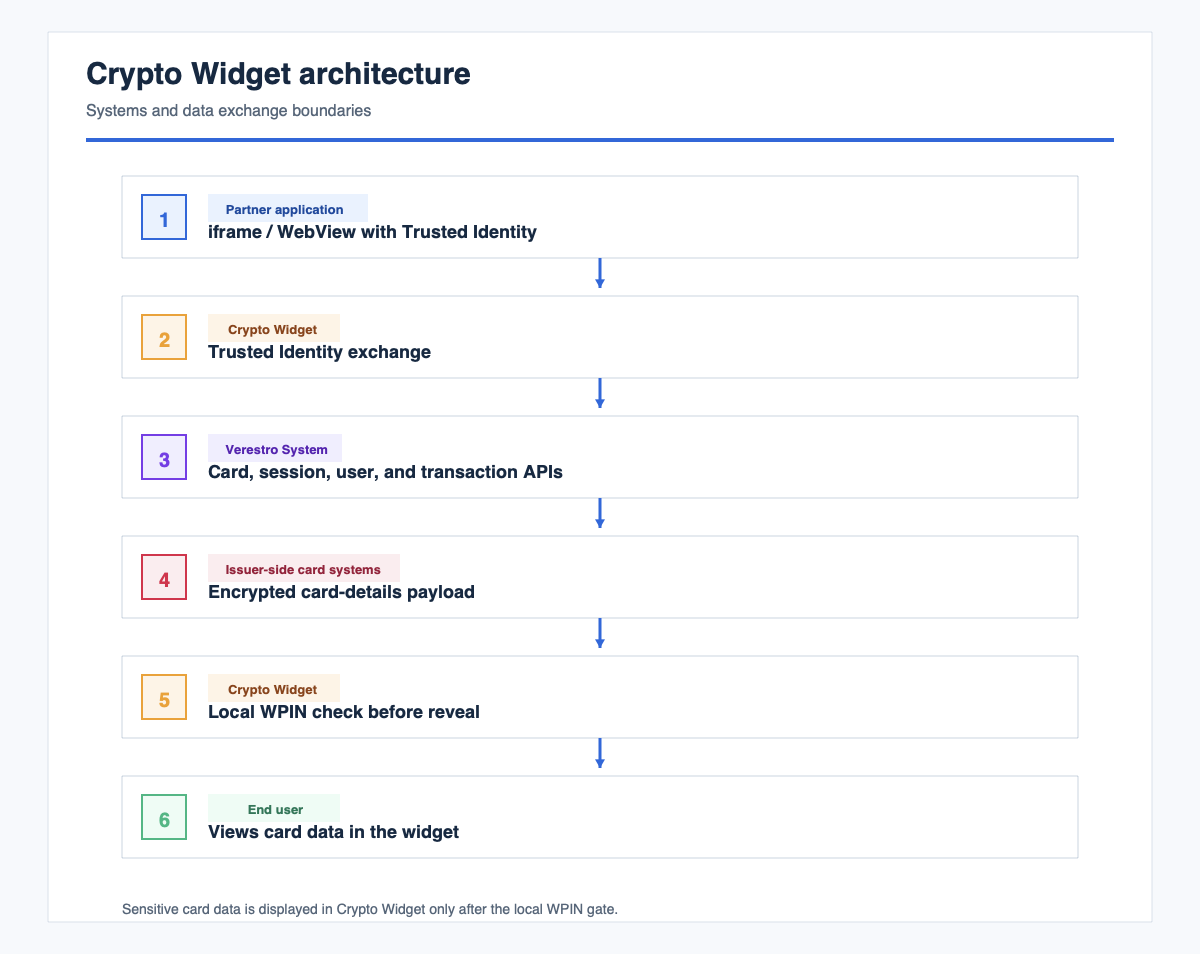
Components
| Component | Description |
|---|---|
| Partner application | Displays the entry point and embeds Crypto Widget |
| Partner backend | Creates users through LifeCycle API, triggers card issuance, and issues Trusted Identity |
| LifeCycle API | Creates the end user in Verestro System and receives required WPIN data |
| Crypto Widget | Displays card UI and handles local sensitive-data reveal |
| Verestro System | Verifies Trusted Identity, creates widget sessions, and exposes configured APIs |
| Issuer-side card systems | Provide card details, limits, balances, and card-management data |
Trusted Identity
Trusted Identity is a signed token issued by the partner backend. It identifies an existing end user in Verestro System.
Crypto Widget is opened with the following URL:
https://<widget-host>/widget?trustedIdentity=<JWS>
Processing flow:
- Crypto Widget reads the
trustedIdentityquery parameter. - Crypto Widget prepares local cryptographic material.
- Crypto Widget sends Trusted Identity to Verestro System.
- Verestro System verifies the signature with the partner certificate.
- Verestro System creates a widget session.
- Crypto Widget removes Trusted Identity from the browser URL.
- Crypto Widget opens the card dashboard.
Trusted Identity rules:
- Issue a new Trusted Identity for each widget session.
- Keep Trusted Identity short-lived.
- Sign Trusted Identity only on the partner backend.
- Do not expose the signing private key to the browser or mobile application.
- Include the Verestro System user identifier required by the integration contract.
- Include all additional claims agreed with Verestro.
Deployment
Verestro deploys Crypto Widget and provides the widget URL. The partner embeds that URL in the partner application.
Environments
The integration normally uses:
- test or beta environment,
- production environment.
For each environment, the partner provides:
- iframe origins for web applications,
- WebView details for native applications if applicable,
- certificate for Trusted Identity verification,
- expected widget entry URL,
- technical contacts for integration tests and go-live validation.
Iframe Example
<iframe
  src="https://<widget-host>/widget?trustedIdentity=<TRUSTED_IDENTITY>"
  width="100%"
  height="100%"
  allow="clipboard-read; clipboard-write"
  sandbox="allow-scripts allow-same-origin allow-forms allow-popups">
</iframe>
WebView Requirements
Enable the following in the native WebView:
- JavaScript,
- DOM storage,
- Web Crypto,
- session storage,
- navigation to the widget host.
Handle external redirects or popups only if the enabled card features require them.
Frame Security
The widget host must allow the partner origin through Content-Security-Policy: frame-ancestors.
If the iframe is blank, verify that the partner origin is allowlisted for frame embedding.
Configuration Options
Configuration is owned by Verestro and agreed per tenant.
| Option | Typical value | Description |
|---|---|---|
| Widget mode | Enabled | Enables widget routes and hides full web portal navigation |
| Token refresh | Enabled | Keeps the embedded widget session active |
| Birth date and nationality completion | Disabled | Partner collects required identity data before LifeCycle user creation |
| Add card button | Disabled | Card issuance is partner-driven before opening the widget |
| Alerts | Usually disabled | Keeps the widget scope focused on card data and card actions |
| Documents and tutorials | Usually disabled | Enabled only when agreed for the tenant |
| Wallet buttons | Disabled unless agreed | Requires additional wallet setup and permissions |
| Card limits | Enabled or disabled by agreement | Depends on the tenant scope |
| Sensitive card-data reveal | Enabled only with WPIN gate | PAN and CVV/CVC display requires successful local WPIN check |
Confirm the final configuration during integration tests. Do not infer production behavior from another tenant.
Application Flows
1. User Creation Flow
Partner application/backend
  -> collect required user data
  -> allow the end user to create WPIN
  -> create the end user through LifeCycle API with WPIN
  -> store or map the Verestro System user identifier
  -> trigger card issuance
  -> open Crypto Widget with Trusted Identity
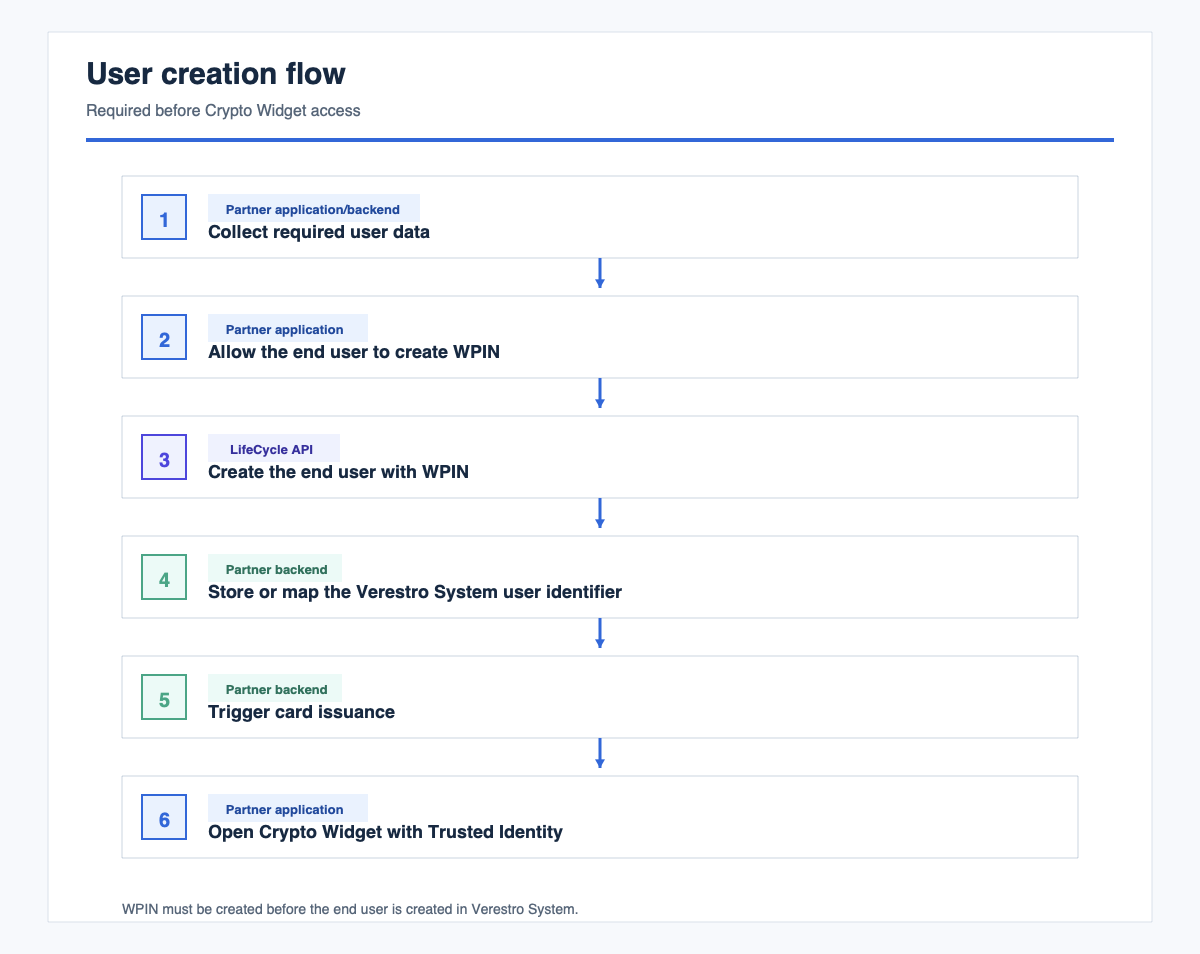 This flow is completed outside Crypto Widget.
2. Widget Launch Flow
End user selects the card entry point
  -> partner backend issues Trusted Identity
  -> partner application opens widget URL with Trusted Identity
  -> Crypto Widget exchanges Trusted Identity for a Verestro System session
  -> Crypto Widget opens the card dashboard
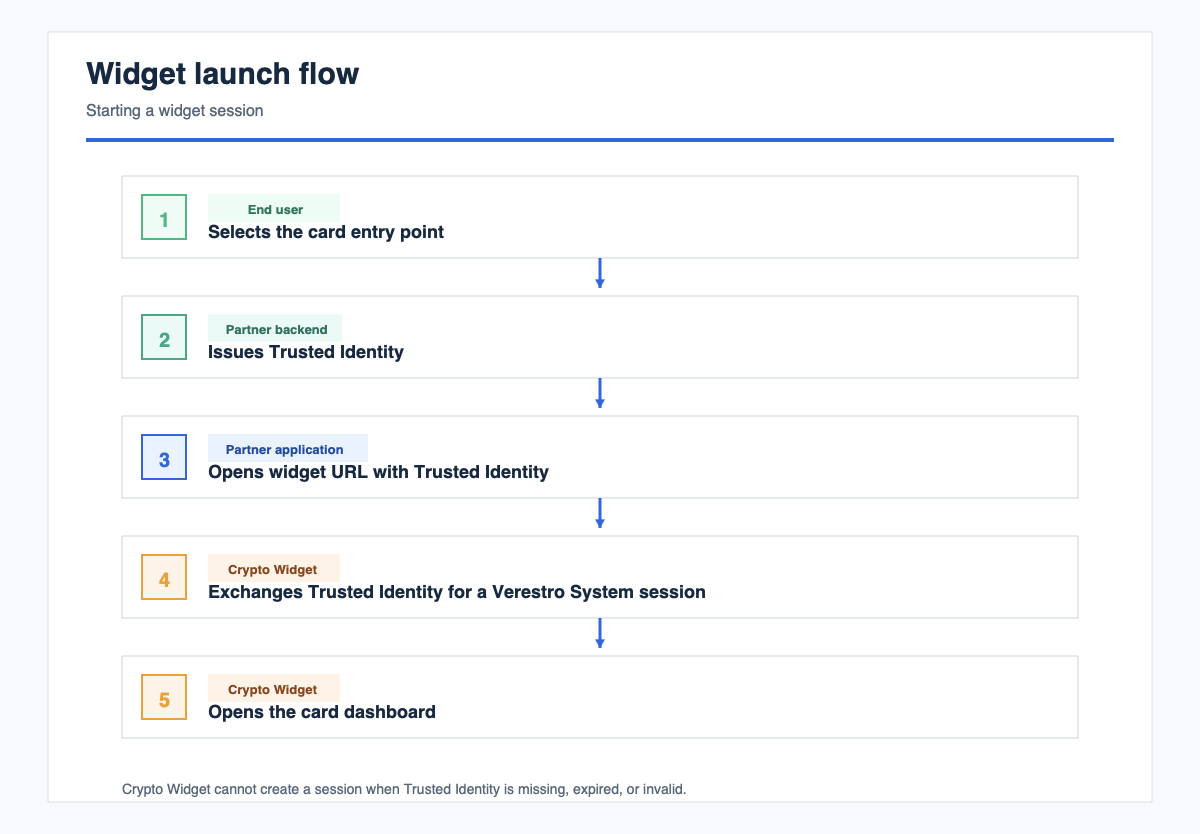 If Trusted Identity is missing, expired, or invalid, Crypto Widget cannot create a session.
3. Card Dashboard Flow
Widget session is active
  -> Crypto Widget loads the card list
  -> Crypto Widget loads selected card summary
  -> Crypto Widget loads transactions and configured card features
  -> end user uses available card actions
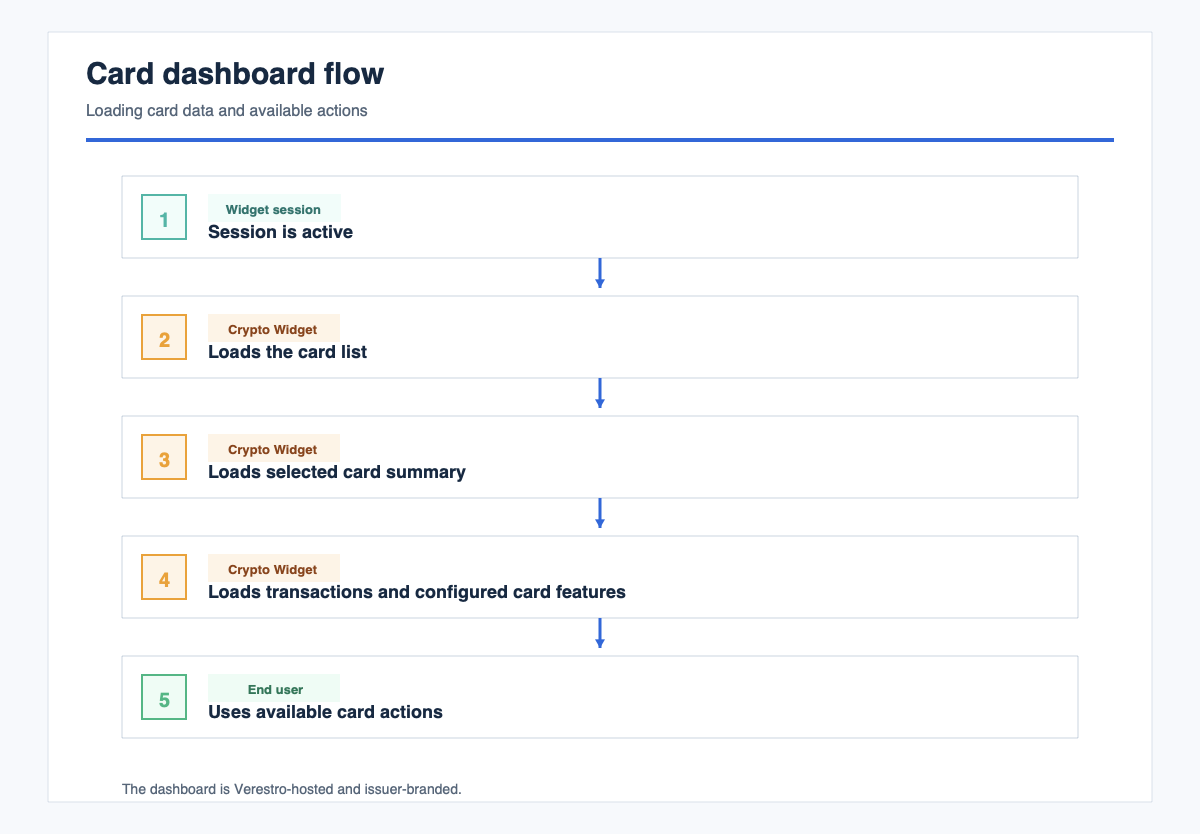 The dashboard is Verestro-hosted and issuer-branded. It does not expose partner application session data.
4. Sensitive Card Data Flow
End user selects show card details
  -> Crypto Widget asks for WPIN
  -> Crypto Widget checks WPIN locally
  -> if WPIN is valid, Crypto Widget requests encrypted card details
  -> Crypto Widget decrypts card details locally
  -> Crypto Widget shows sensitive card data
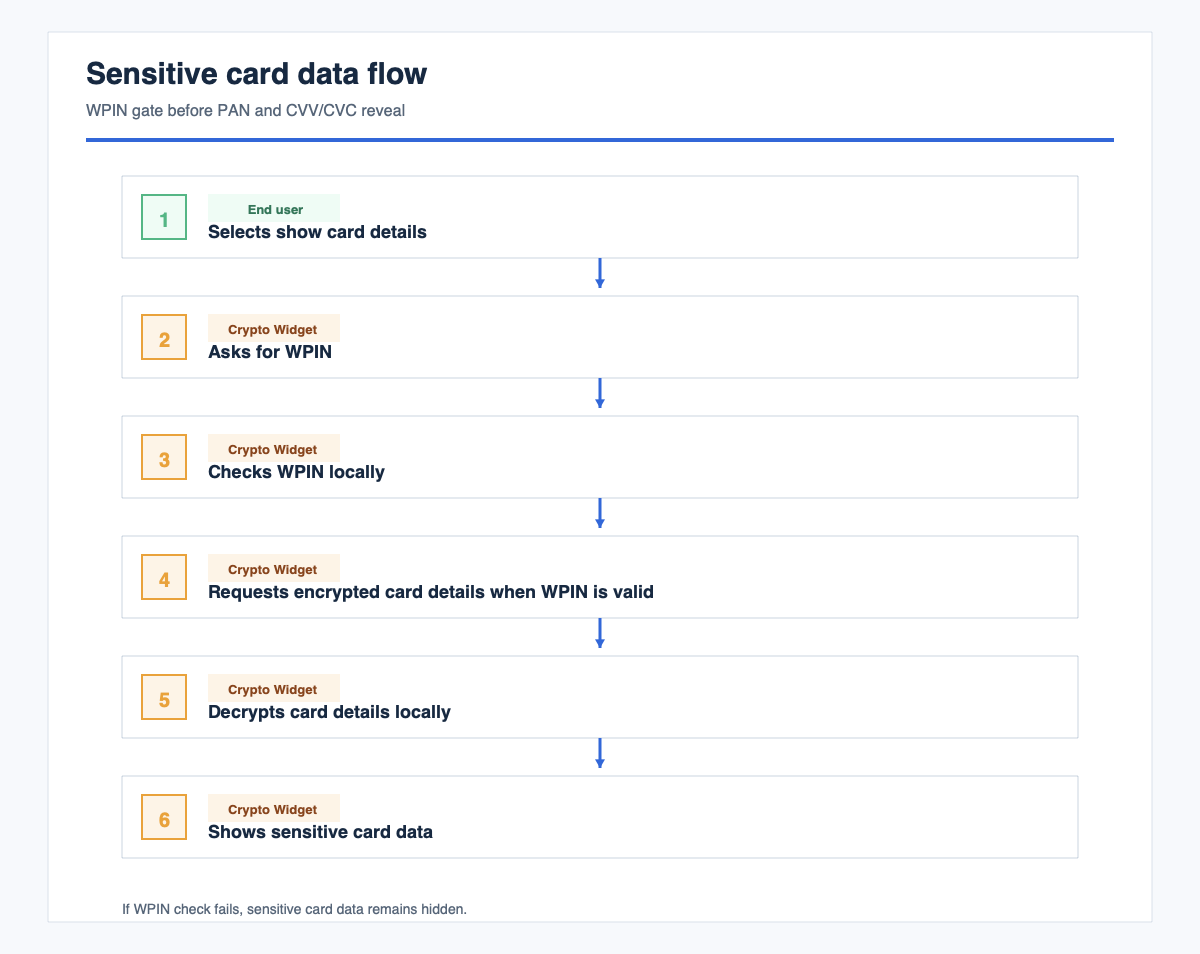 If WPIN check fails, sensitive card data remains hidden.
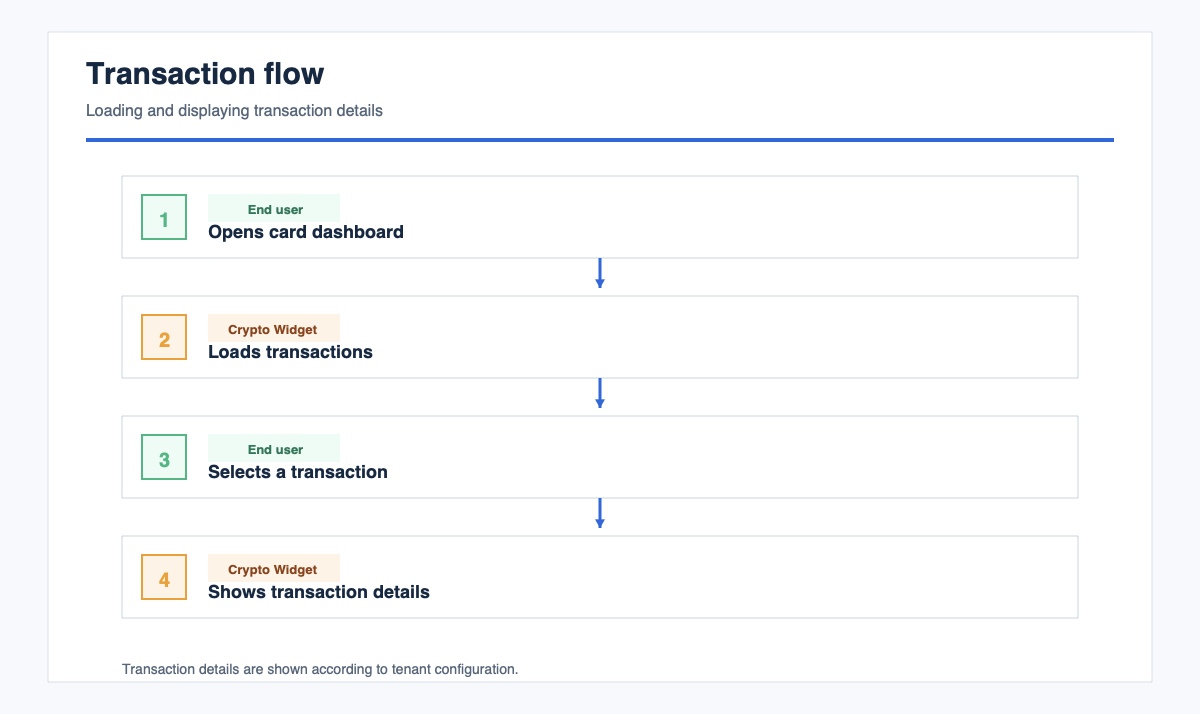
5. Transaction Flow
End user opens card dashboard
  -> Crypto Widget loads transactions
  -> end user selects a transaction
  -> Crypto Widget shows transaction details according to tenant configuration
6. Limits Flow
End user opens limits
  -> Crypto Widget loads current limits
  -> end user reviews or edits limits if enabled
  -> Crypto Widget submits changes to the configured API
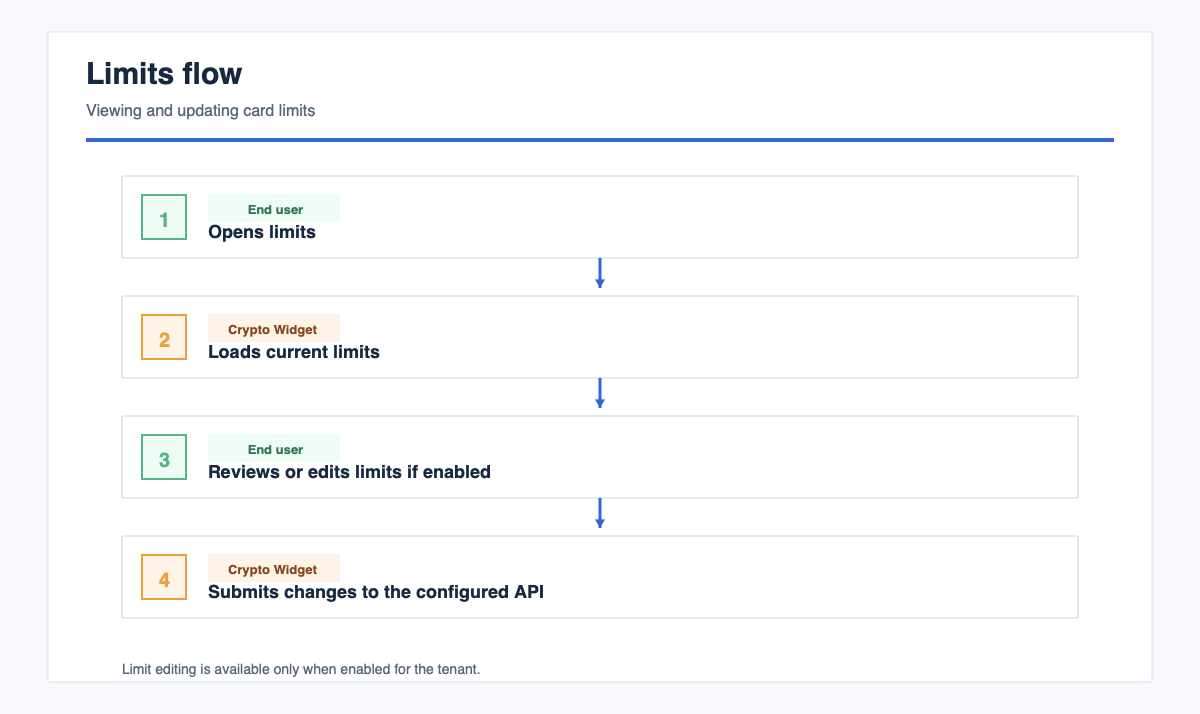 Limit editing is available only when enabled for the tenant.
7. Session Flow
Widget session is active
  -> Crypto Widget refreshes the session silently when configured
  -> if refresh succeeds, the end user continues
  -> if refresh fails, the widget session ends
  -> partner application opens the widget again with a fresh Trusted Identity
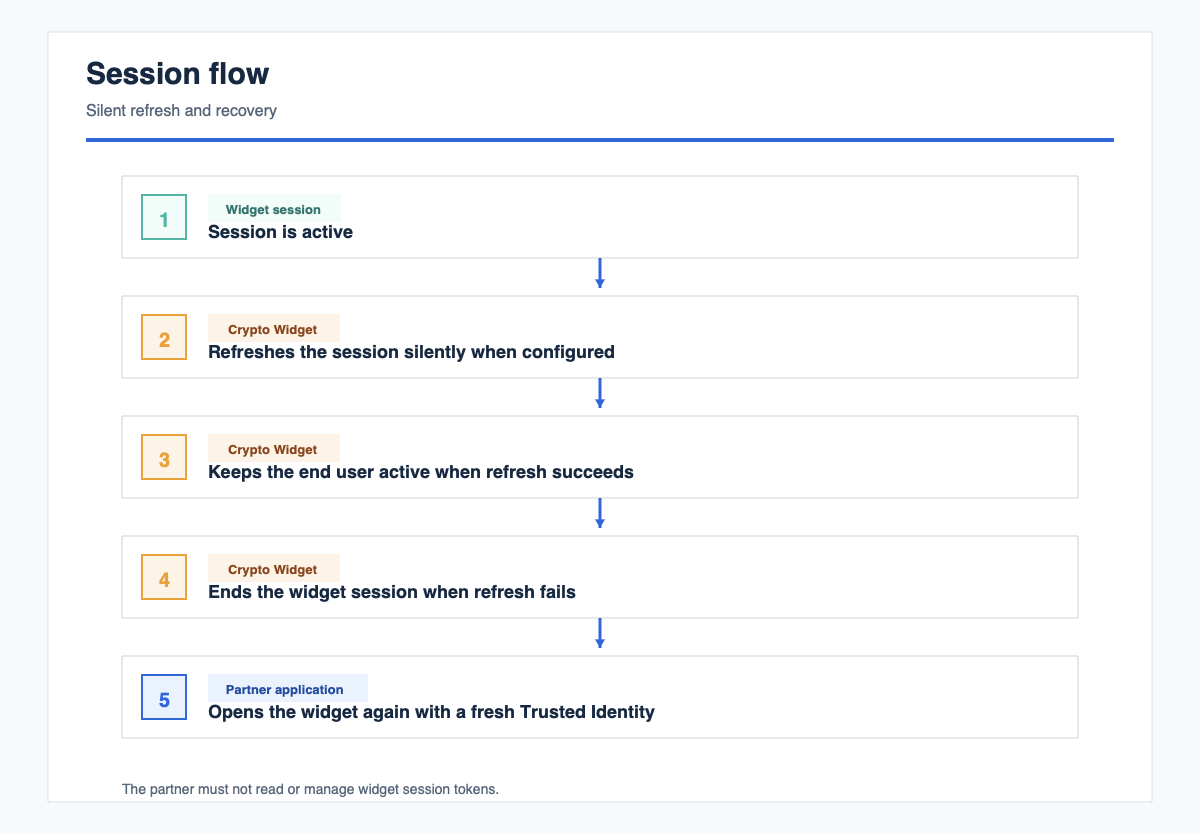 The partner cannot read or manage widget session tokens.
Implementation Checklist
- Build WPIN creation before LifeCycle user creation.
- Create the end user through LifeCycle API with required WPIN data.
- Store or map the Verestro System user identifier.
- Complete terms, conditions, fee disclosure, and card issuance before widget access.
- Register the Trusted Identity verification certificate with Verestro.
- Implement backend Trusted Identity issuing.
- Embed the widget URL in iframe or WebView.
- Provide partner origins for
frame-ancestorsallowlisting. - Test widget launch with valid, expired, missing, and malformed Trusted Identity.
- Test that sensitive card data is hidden before local WPIN check.
- Test that incorrect or missing WPIN does not reveal PAN/CVV.
- Test card list, transactions, limits, and configured card actions.
- Test session refresh and recovery with a fresh Trusted Identity.
Go-Live Criteria
- End user can create WPIN before LifeCycle user creation.
- LifeCycle user creation includes required WPIN data.
- Trusted Identity is accepted in test and production environments.
- Crypto Widget opens only for valid end users.
- Card dashboard loads inside the partner application.
- Sensitive card data is not shown before local WPIN check.
- Sensitive card data remains hidden after failed WPIN check.
- Partner backend does not receive PAN/CVV or widget session tokens.
- Partner production origin is allowlisted for iframe embedding.
- Session refresh and recovery behavior are validated.
Terminology
| Term | Description |
|---|---|
| Crypto Widget | Verestro-hosted card widget embedded in a partner application |
| WPIN | Wallet PIN used as a local gate before sensitive card data is shown |
| Sensitive card data | Card credentials such as PAN and CVV/CVC |
| LifeCycle API | API used by the partner backend to create end users in Verestro System |
| Trusted Identity | Partner-signed token used to start a widget session for an existing end user |
| Verestro System | Verestro platform that verifies Trusted Identity, creates widget sessions, and provides configured card APIs |
| iframe/WebView | Embedding method used by web and native partner applications |