KYB Platform (Know Your Business)
Verestro offers a tool for identifying and verifying business customers. The tool dedicated to performing KYB (Know Your Business) verification consists of Administration Panel, KYB Form, and Customer Panel.
- Article
- KYC and KYB requirements in card issuing
- Know Your Customer – in-house or outsourcing
- KYC requirements in Payout and Money Transfer projects
- Introduction
- Overview
- Use Cases
Article
You can find more knowledge about products on this site.
KYC and KYB requirements in card issuing
KYC (Know Your Customer) processes usually raise a lot of questions. In this article, I would like to summarize the most important decision points and requirements.
KYC regulations are directly connected with Anti-Money Laundering (AML), regulatory and sometimes with payment scheme requirements. In general, every payment or banking institution must be aware who its customers are, should know the source of its customers' funds, and should have information about the ways customers use money held by the payment institution. Regulators require that payment institutions know and monitor this in order to limit the risk of supporting terrorist or illegal actions.
The main question in every project is: "Who is the owner of the money on account?" We can have 2 situations:
1. CONSUMERS - If the consumer is an owner of the money on account, the KYC process has to happen. Usually it means that the user (consumer - not a company) needs to provide an ID document or passport and selfie, meeting or video call needs to happen to make sure that consumer is a real person signing a contract with a payment institution. There are various additional verification ways that a payment institution may require, but those are the key ones.
2. BUSINESSES - If a company is an owner of money, the KYB (Know Your Business) process has to happen. Usually it means that the user (company owner, manager etc.) not only needs to provide an ID document and make a selfie or a video call, but the payment institution needs to verify beneficiaries (the owners of more than 25% of shares in the company).
In both cases the payment institution is obliged to check whether the consumer, business manager or business owner is not present on various sanction lists, i.e. OFAC or UN sanction list.
These rules are critical and in fact all other implications are outcomes of them. In projects connected with launching Payout to Cards, the very first question that we need to answer is : "Who is the owner of the money on account?" If the consumer is an owner of the account (scenario 1) - the consumer needs to go through the KYC process. If the business is an owner of the money on account (scenario 2), the KYB process will have to happen and there will be no additional KYC.
There may be non-standard situations that will require some analysis. Let me present a few interesting scenarios:
- Lendtech - a company that provides loans to consumers. Let's imagine that this company is giving a loan of 1000 EUR to a consumer. We can have a project in two versions:
- if the consumer receives a loan on his/her personal card - then we have the KYC requirement.
- but if a card is just a part of Lendtech account and formally the consumer gets a loan at the moment he/she takes out money from the card account - we do not have any KYC requirement; we just need to do KYB for Lendtech. It can simplify user acquisition a lot.
- Insurance - an insurance company sends insurance value to users after a claim process or just after an accident:
- if the user receives a gift card with 1000 EUR, which is the value of the claim, and at the moment of receiving the card, 1000 EUR on this card becomes his/her ownership - we have the KYC requirement for the user.
- but if the user receives a card with a limit of 1000 EUR and when they pay - they use the insurer's money to cover costs of the claim, we do not have any KYC requirement. KYB will be enough for us.
- Money transfer company - let's imagine that the company sends a virtual card with 1000 EUR from Europe to the receiver in Singapore:
- if the user receives a virtual gift card, and 1000 EUR belongs immediately to this user, we have to do KYC of this user
- however, if users receive a virtual card with a limit of 1000 EUR and the money becomes theirs the moment they pay or withdraw funds from the card, KYB is sufficient. KYC is not required.
As you can see, there can be different approaches to KYC and KYB requirements, so it is worth reviewing the legal structure and thinking about how to improve the user experience in such projects.
Thanks for reading.
Know Your Customer – in-house or outsourcing
From time to time, our customers ask us whether it is better to perform Know Your Customer activities in-house or to hire a company to do it for them. In this article we would like to answer this question.
KYC activities are very important. On-boarding your customer is actually the first process that the customer uses, so smooth processes are critical for our future relationship with a particular customer. If the process does not work correctly, the customer can block and all our marketing and acquisition efforts will be useless. But how to do it right?
You can have 2 general scenarios:
Scenario 1 – build KYC in-house
You can start building this process yourself using your IT team. Actually, it is not so difficult. The process consists of a few obligatory steps that have to be performed by user:
- Get user data
- Get user photo or video
- Get pictures of user’s document or documents
- Check sanction lists
- Approve / decline / get into interaction
It seems to be easy 😊 but actually it is not so easy. There are some security and legal regulations that need to be fulfilled. There are specific requirements of payment institutions that will have to be fulfilled. You need to collect this knowledge, be ready to update your systems. Additionally, you have to think of automatizing this process on your side so that the user does not wait too long for approval of their application. From a financial perspective it sometimes can be much cheaper than automated KYC. Let’s do a quick calculation. If you hire a person and pay 10 EUR per hour to this person for performing KYC activities you can imagine that such a KYC employee will perform simple consumer KYC actions (verification of data, photos etc.) for one customer during 1 minute. It means that the cost of processing a single application is 10 EUR divided by 60 minutes = 0,16 eur per user!!!
Additionally, if you need to perform regular scanning of sanction lists, avoiding per user costs becomes more critical because there may be requirements that users are scanned against sanction lists once per month… If you have 0,1 eur cost per such scanning it means that you have variable cost of your operations. Very important disadvantage.
Advantages:
- Full control over the process
- Possibility of changing process in-house after product launch
- Full control over costs
- Possibility to avoid variable costs per user
- Possibility to avoid recurring costs per user
- Quicker responses to regulatory complaints as everything is in your system
- No dependency on external partners
Disadvantages:
- You need to spend time and energy on this process
- Time consuming process
- High fixed costs (team to develop and update the system)
Scenario 2 – outsource KYC
In this scenario you perform a tender and choose the best KYC provider for you. You can be quick with this process, you will get all technology this partner has but you will have to pay per user and maybe for some development and customizations. You will have an outsourcing company that most likely will have to be officially registered at your regulator as you are outsourcing anti-money laundering processes to this partner. It is definitely an easier process at the beginning of your journey but think about dependencies and cost.
In the long term you may also encounter problems with your partner that some specific requirements or unhappy path for your users does not work correctly. You should not think that you can automatize 100% of your on-boarding processes and you do not need to hire anyone. You must have some manual process, possibility to check application yourself and you must hold data yourself for future use.
From a financial perspective – you will have to pay per user or sometimes recurring fees per verification additionally. This may be a heavy cost for your business model. I think that this long term dependency is the critical disadvantage and you need to be careful.
Advantages:
- Quick time-to-market
- Professional processes achieved quickly
Disadvantages:
- High variable costs – clicks per user, monthly per user etc.
- Dependency on particular vendor
- Tendency to forget that you must have manual processes built together with such partner
- Risk of regulatory incompliance in case you do not monitor partner correctly
Summary
It is a difficult choice. In our opinion, in the short-term, it may be better to involve a 3rd party. However, in the long term, risk of dependencies, partner stability and variable fees seem important and you need to carefully consider if you do not want to have those capabilities in-house. Please also remember that while implementing 3rd party automatic solutions, you must have a manual process ready to process unusual customers.
Our services in this area are focused on this strategy. We use both 3rd party vendors and an internal system for managing KYC processes for ourselves and for our customers.
KYC requirements in Payout and Money Transfer projects
Know Your Customer (KYC) processes usually generate many questions. Key requirements and decision points are summarized in this article.
The KYC regulations are directly related to AML (Anti-Money Laundering), regulatory and payment scheme requirements. In general, any payment or banking institution has to know who their customers are, what the source of their customers' money is and how the customers use the money held by the payment institution. To limit the risk of supporting terrorist or illegal activities, regulators require payment institutions to be aware of and monitor them.
The key question in every project is: "Who is the owner of the money on the account?" There may be the following situations:
- CONSUMERS - If consumers own the money on account, the KYC process has to happen. It usually means that the user (consumer - not a company) needs to provide his/her ID document or passport and selfie, a meeting or video call needs to happen to make sure that the consumer is a real person who signs a contract with the payment institution. There are many additional verification ways that the payment institution may require, but these are the main ones.
- BUSINESSES - If a company owns the money, the KYB (Know Your Business) process has to happen. It usually means that the user (company owner, manager etc.) needs to provide not only his/her ID document and make a selfie or a video call, but the payment institution needs to check beneficiaries (owners of more than 25% of shares in the company).
In both cases, the payment institution is obliged to check whether the consumer, company director or company owner is on various sanctions lists, e.g. OFAC or UN sanctions lists.
The above rules are critical and in fact all other implications are results of them. In projects related to the implementation of Payout to Cards, the first question we need to answer is: "Who is the owner of the money on the account?" If the consumer is the owner of the account (scenario 1) - the consumer must go through the KYC process. If the business is an owner of the money on the account (scenario 2), the KYB process will have to happen and there will be no additional KYC.
In the majority of Payout to Cards projects we are in Scenario 2. It means that the KYB process needs to happen and there will be no additional verification of consumers. The reason for that is that we usually talk with payment institutions, wallets, fintechs that have registered users, the users have their accounts (already after KYC) and our money transfer institution will work directly with this business customer to enable Payouts from accounts of this payment institution to the receiver. The account owner will be a payment institution or a business that we work with. From a legal point of view, our customer (B2B customer) will take money from the user's account, place it on their own account and initiate a payment to the receiver from their own account. In such a situation we will do KYB, we will verify if our partner has a legal right to perform such activities and it will be enough. We will request our partners to send us some customer (Sender) data including the first name, last name, but nothing else.
In some situations there will be a need to initiate direct payments from the consumer account to the receiver - Scenario 1. In this scenario we will require that either the partner does a professional KYC process according to requirements (see above) and sends results of KYC to us, including a selfie, ID documents etc. Or in specific cases we can perform KYC on behalf of the partner.
I hope I clarified the topic. Please make sure that you define quickly if you are in scenario 1 (consumer KYC) or scenario 2 (business KYB) and you can quickly enable Payouts with us.
Thanks for reading.
Introduction
Verestro's Know Your Business (KYB) is a comprehensive, end-to-end solution for the digital identification and verification of business entities. Unlike standard API services, KYB is delivered as a ready-to-use ecosystem of tools (including forms and management panels), eliminating the need to build your own infrastructure for document collection and AML (Anti-Money Laundering) risk analysis. This system serves as a secure gateway for companies wishing to utilize your services, such as card issuance or transfer processing.
Before any financial operations can be set up, your corporate clients at Verestro must successfully complete the KYB verification process. [More]
Key Capabilities:
-
Customer Form- Allows the client to input company registration data, information regarding representatives and beneficiaries, and details of the ownership structure.
-
Customer Panel- A dedicated portal for clients who have completed the initial registration stage, including the form submission. It enables the secure upload of required attachments, real-time monitoring of verification status, and the ability to provide any missing data.
-
Administration Panel- An operational tool designed for verifying onboarded clients and ultimately making the final decision to approve or reject a client, including the assignment of a risk level.
Overview
This document provides a high-level description of the functionalities offered by the KYB Platform. The tool enables you to conduct a comprehensive verification process- from data collection to risk assessment and final approval. The document is divided into sections presenting the individual components that comprise the KYB Platform.
Terminology
This section explains the meaning of key terms and concepts used in this document.
|
Name |
Description |
| KYB | Know Your Business-process of verifying the identity and credibility of business clients. |
| AML | Anti-Money Laundering- refers to a set of procedures and regulations aimed at preventing money laundering and terrorist financing. |
| KYB Form |
A form used to collect information about the verified merchant directly by the Representative. |
| Customer Panel | A panel that merchants can access after completing the form. It provides access to operator comments, data editing, and insight into the current verification status. |
| Administration Panel |
It is a tool for carrying out the KYB process, communicating with merchants, and monitoring onboarding thanks to functionalities that enable a transparent and efficient process. |
| Sanction list | Sanction lists are official registers of individuals, companies, organizations, and even entire governments subject to restrictions imposed by states or international organizations. |
Components
KYB Form
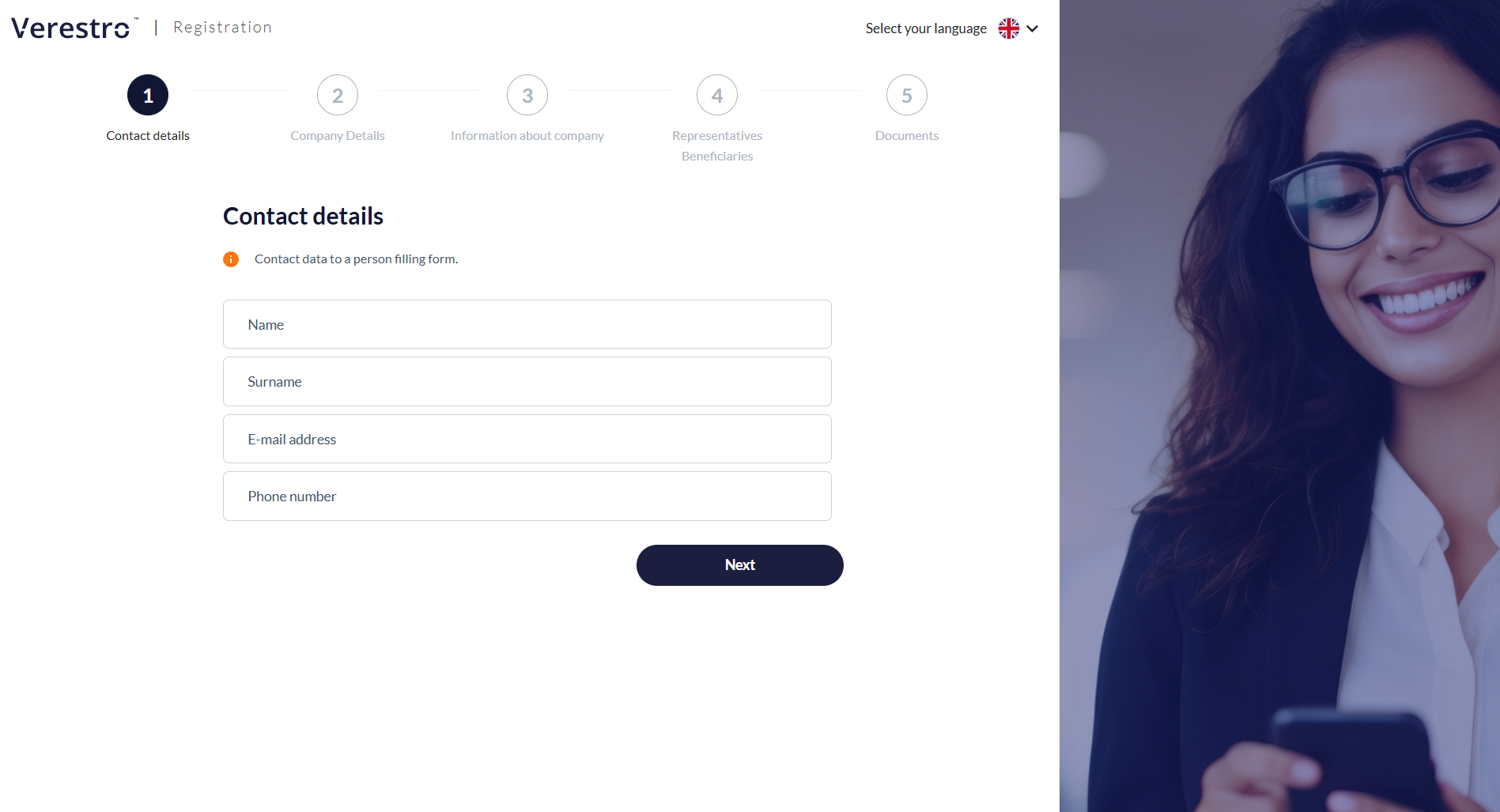
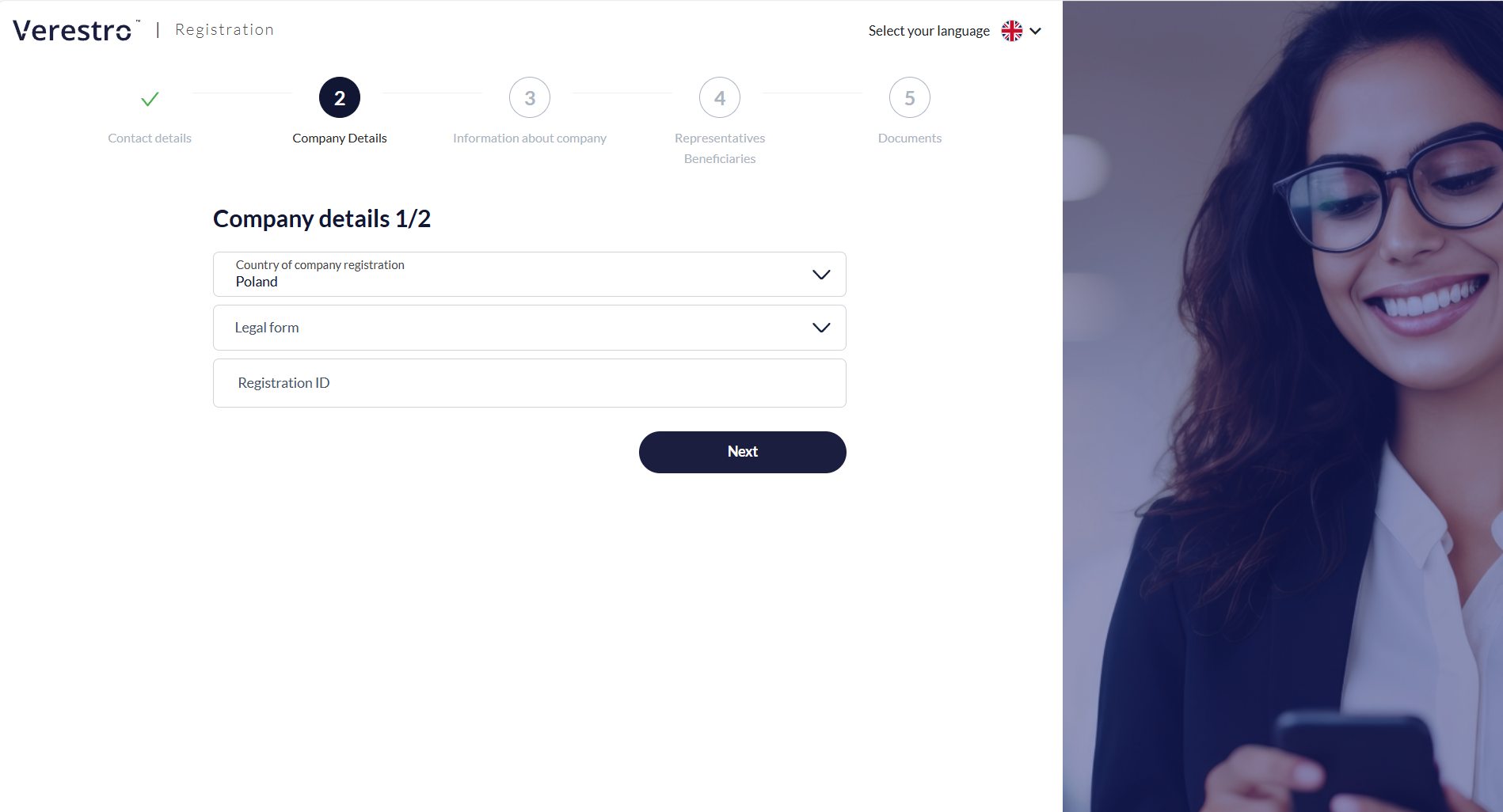
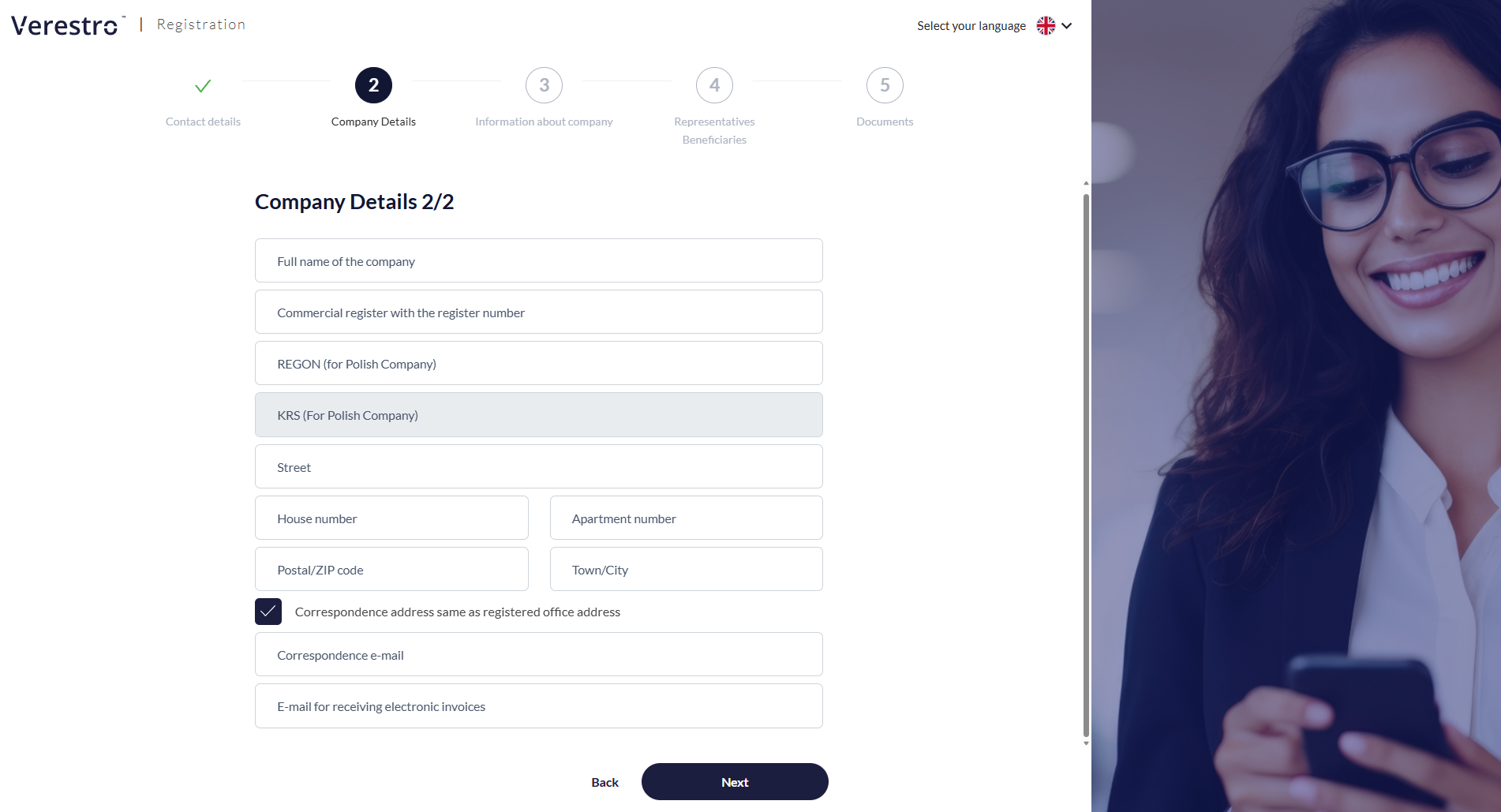
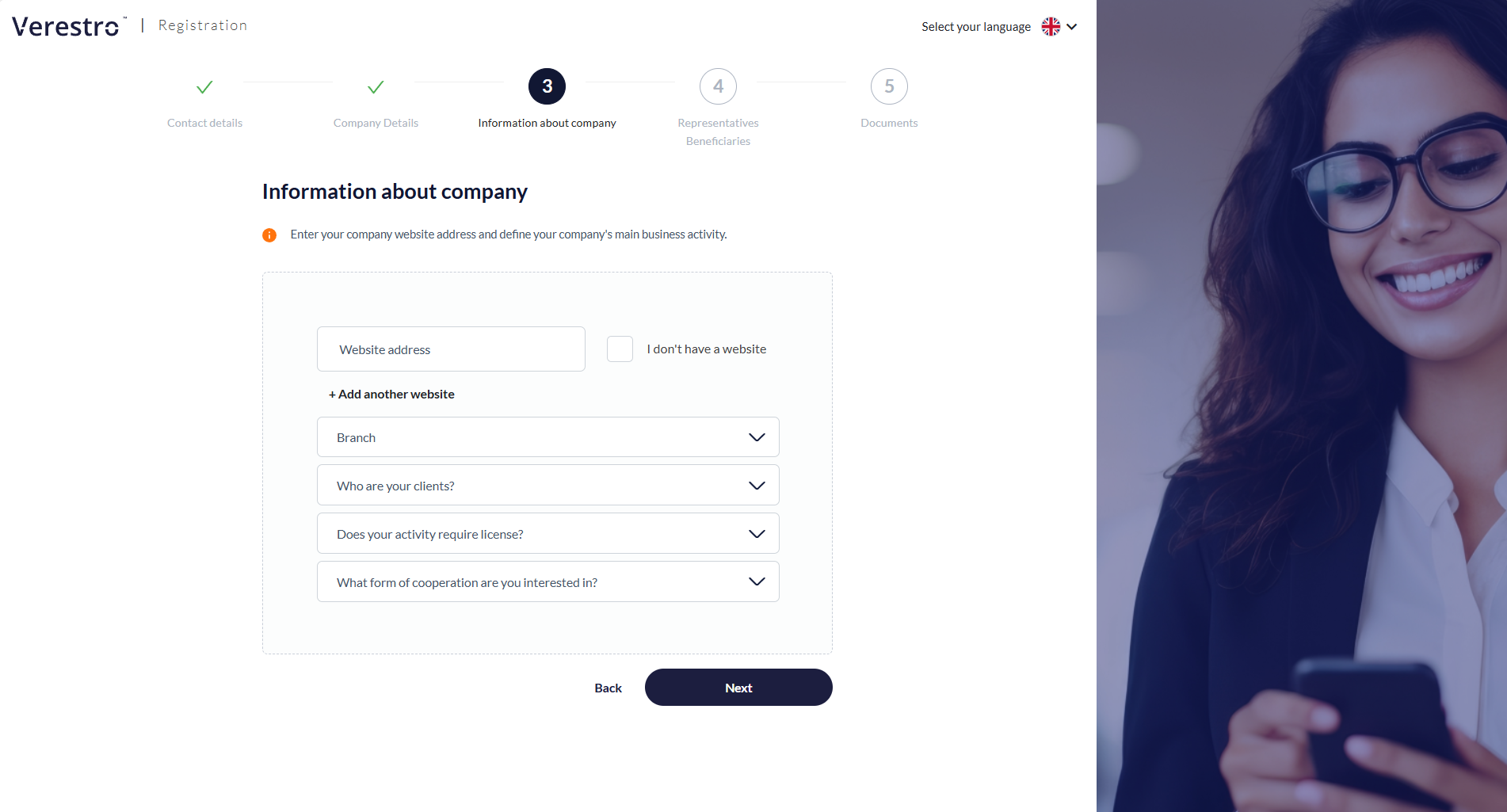
The KYB Form is an interactive tool that serves as the business client's first point of contact with the verification process. The form completion process consists of five main steps:
|
Step 1: Contact details
Importantly, right after this step, the system sends an e-mail to the provided address with a unique link to the registration process. This ensures the user doesn't lose the entered data and can click the link at any time to resume filling out the form exactly where they left off. |
|
|
Step 2: Business entity identification
For Polish entities, based on the NIP (Tax ID), some fields will be filled in automatically. The NIP (Tax ID) cannot be edited at any stage by either the AML operator or by the client in the Customer Panel. |
|
|
Step 3: Business profile
|
|
|
Step 4: Representatives and Ultimate Beneficial Owners (UBO)
The UBO must additionally declare their shares and any other potential forms of control.
The form is flexible and allows for the addition of multiple representatives and beneficiaries, depending on the company's ownership structure. |
|
|
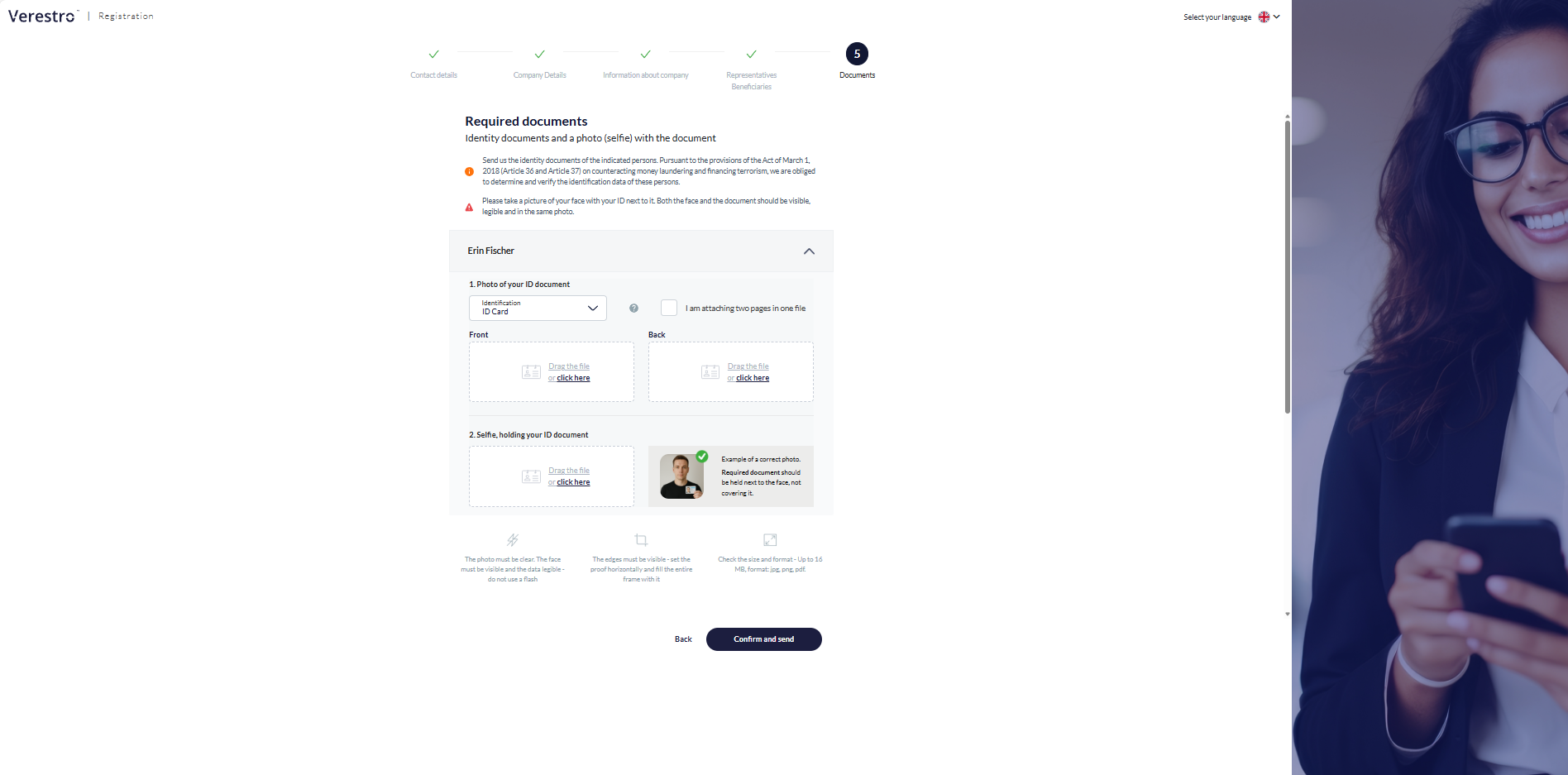
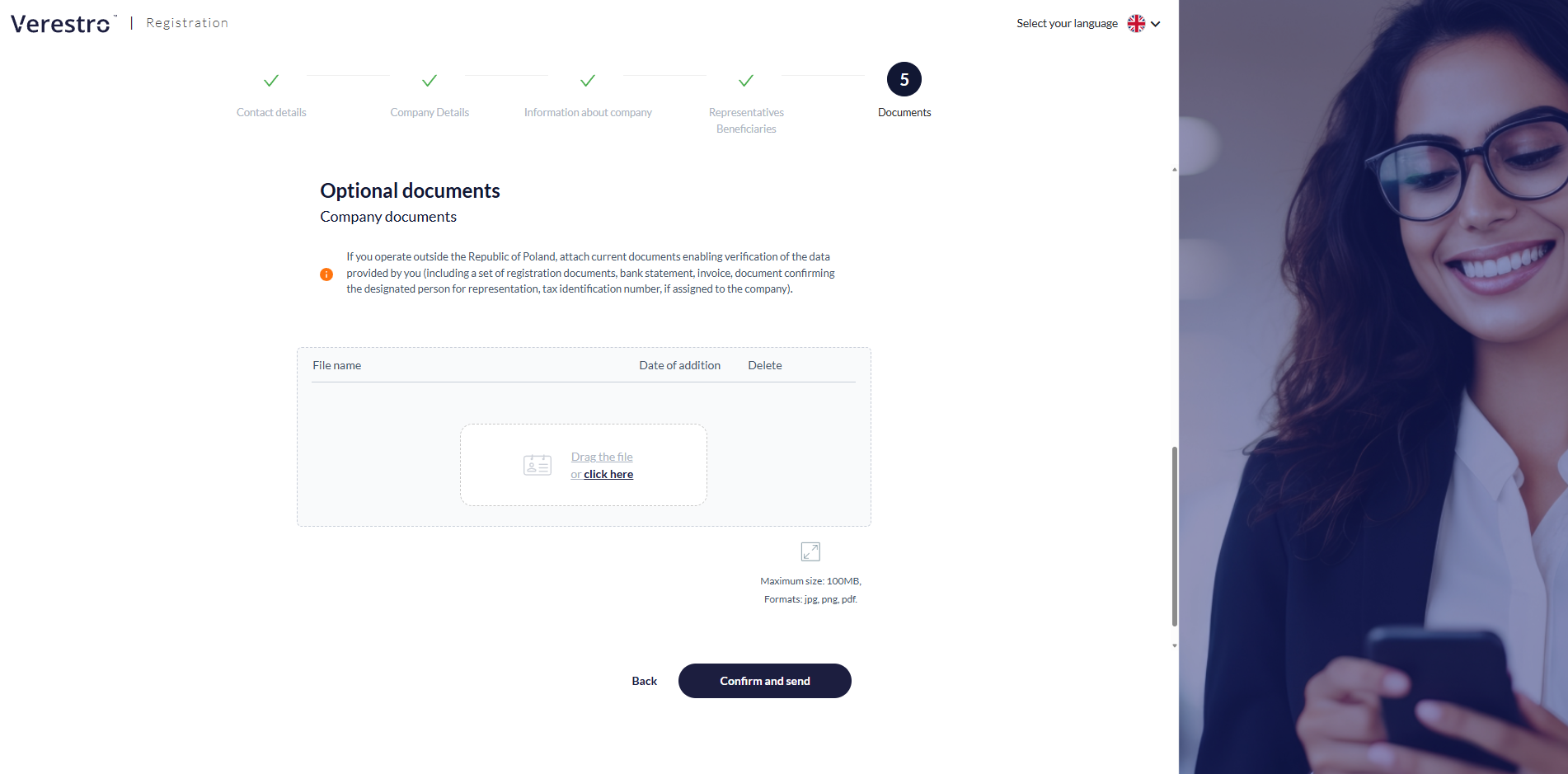
Step 5: Identity verification and additional attachments
The client can upload additional documents or wait for contact from an AML department employee, who will precisely indicate what additional documents (e.g., shareholding structure) will be necessary for the successful completion of the verification.
After submitting the form, the client receives an e-mail confirmation of the application submission, and the status in the system changes. The documentation goes to the AML department, where an analyst begins the risk assessment. |
|

Customer Panel
The Customer Panel is a dedicated environment for business clients who have completed the first stage of registration, which is submitting the KYB form. This panel serves as the main communication center between the verified company and the AML (Anti-Money Laundering) department operating on the service provider's side.
Access to the panel is granted via a unique link sent in the e-mail confirming the receipt of the application.
The main functions and capabilities of the Customer Panel include:
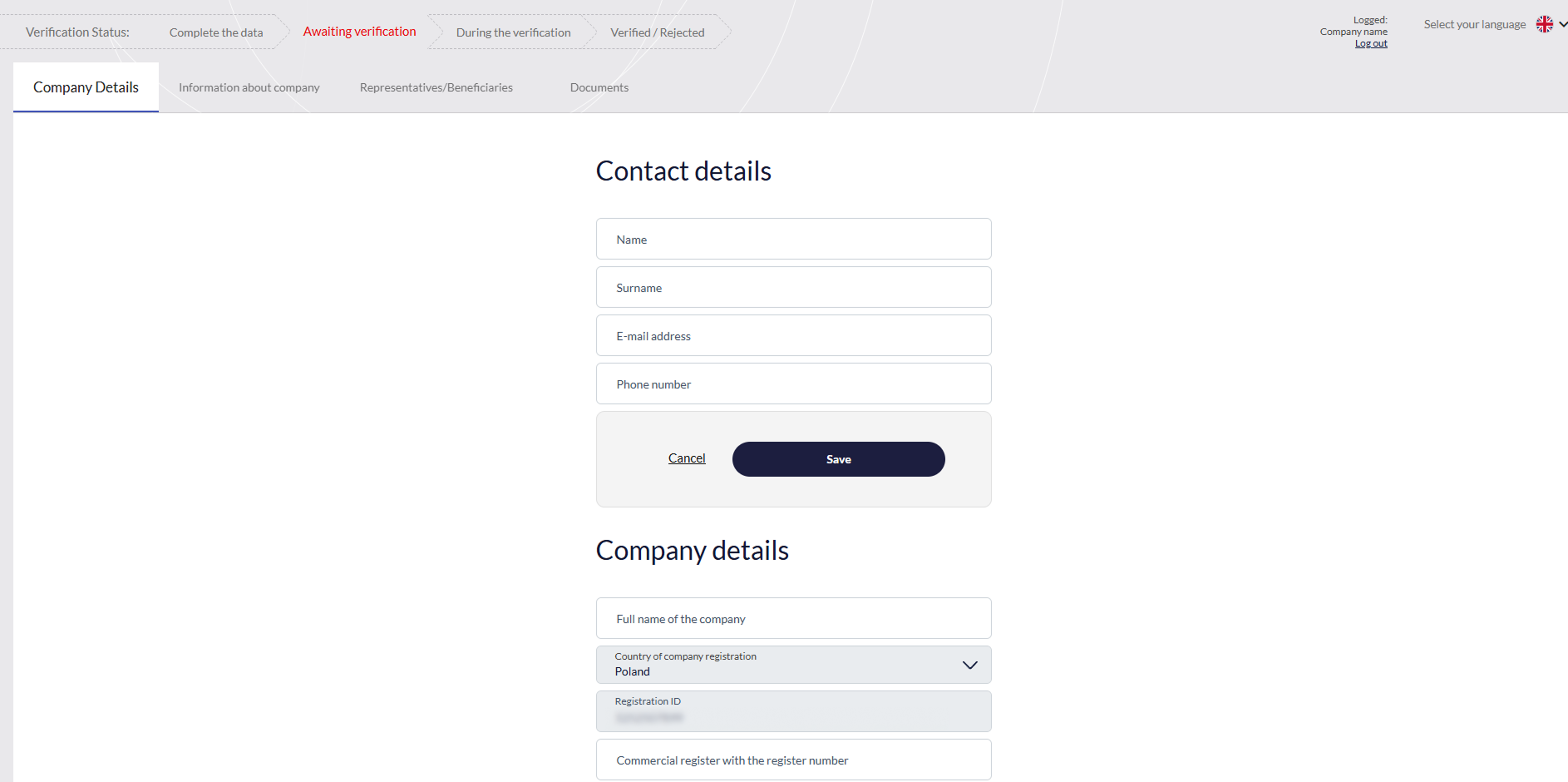
|
Real-time verification status tracking
Review of entered data
|
|
|
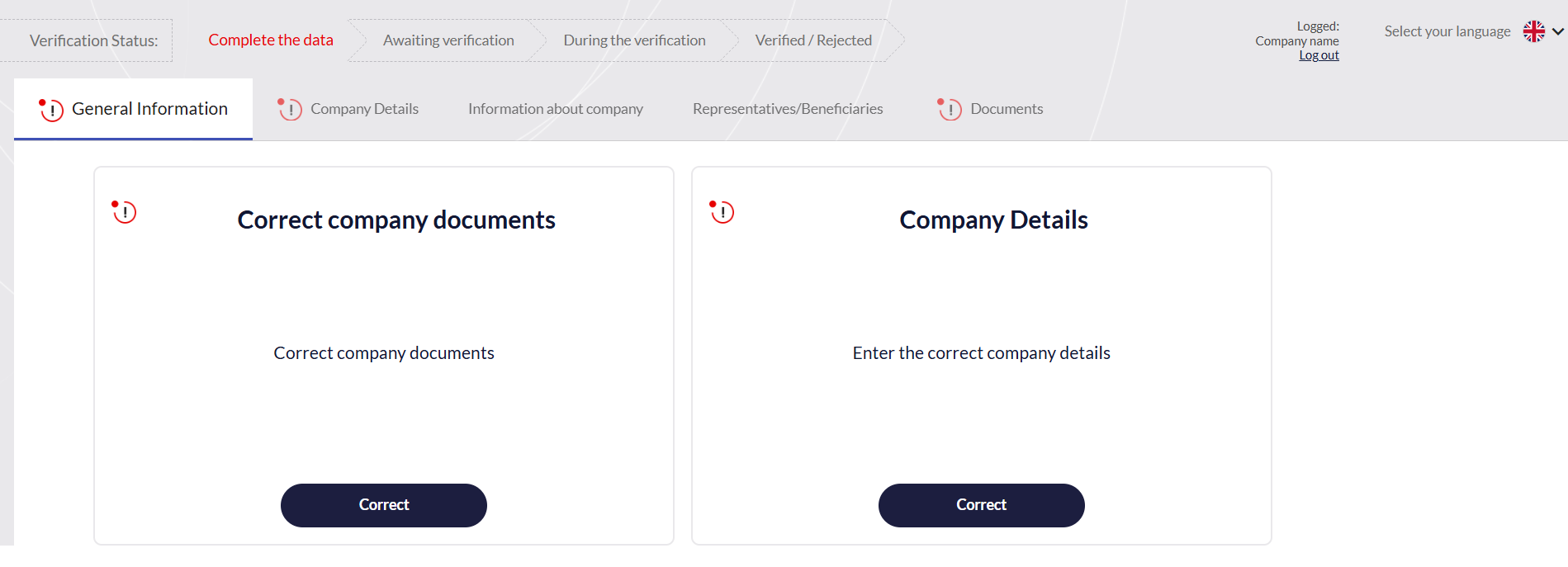
Receiving and handling comments from AML operator
|
|
|
Providing missing documents
|
|
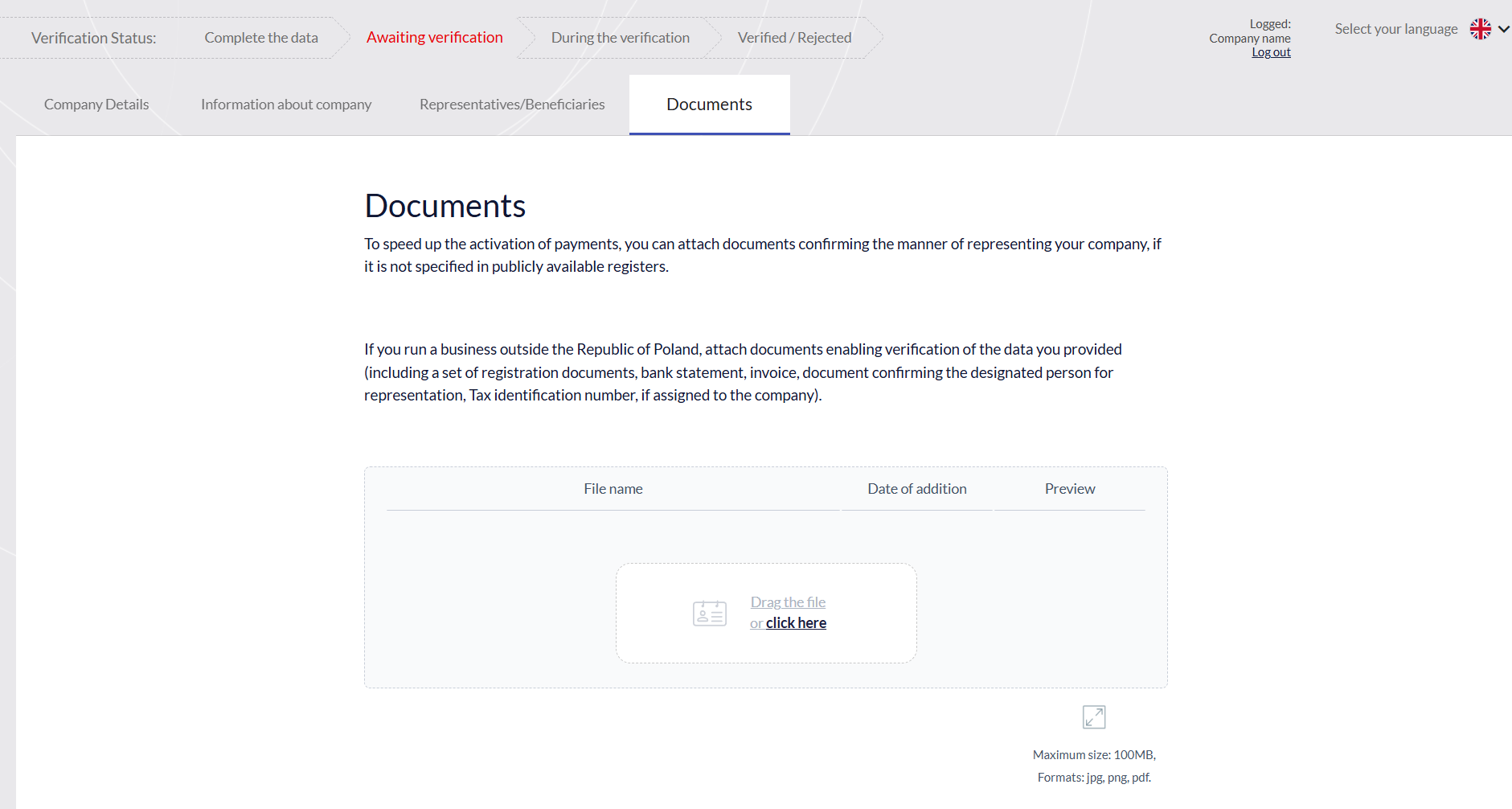
Ensuring process continuity
The Customer Panel plays a key role not only during the initial onboarding but also during the so-called "periodic verification." If refreshing the company's data is required after some time, the client may be asked to log into the panel to make the necessary corrections and re-approve the information.
Administration Panel
The Administration Panel is a tool for managing the onboarding process, risk analysis, and monitoring of business entities. The panel ensures transparency of operations and offers a range of tools necessary for efficient verification.
The main functions and modules of the Administration Panel include:
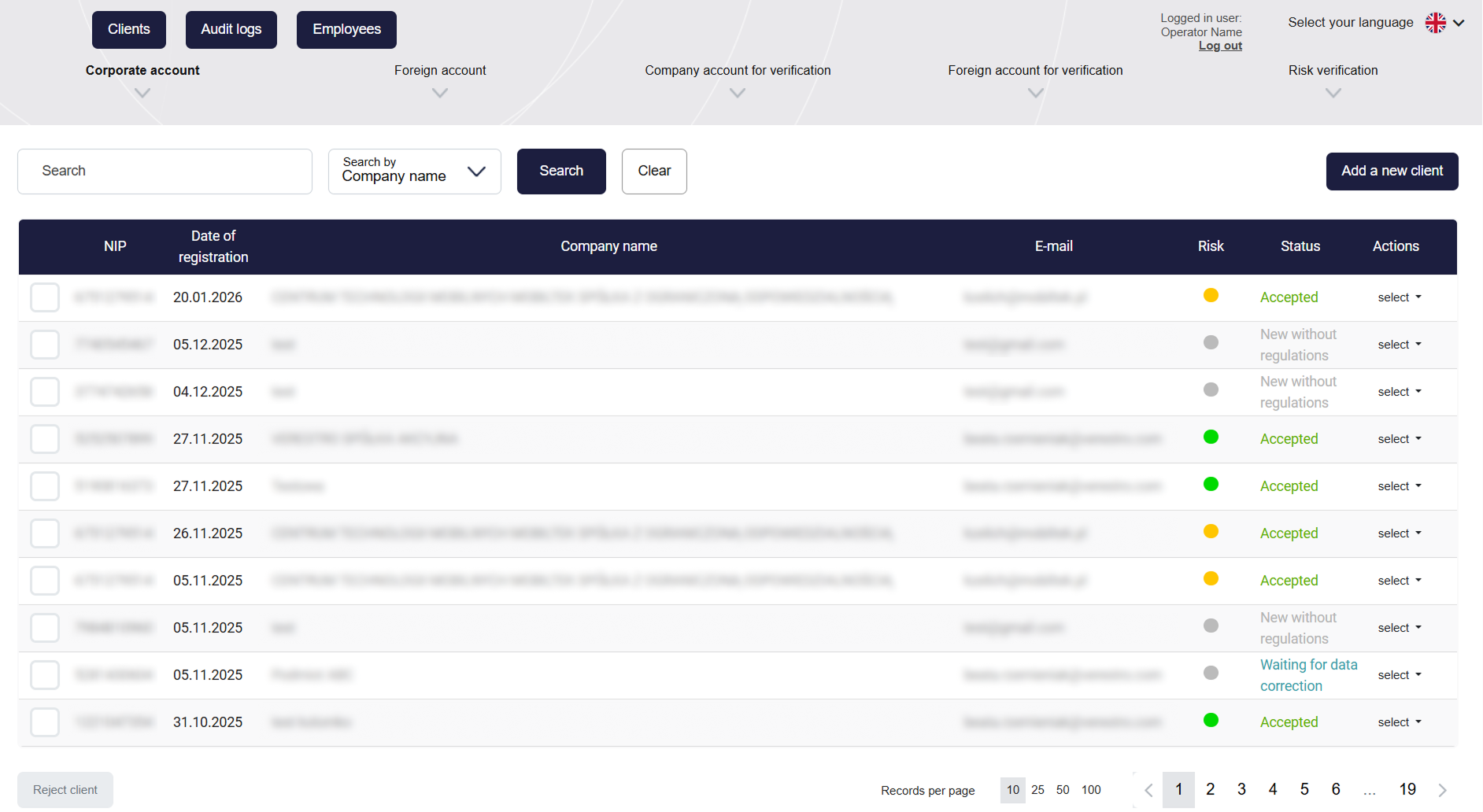
|
Client Management
Operators can search for entities using filters such as e-mail, Tax ID (NIP), or company name.
The system automatically assigns statuses to clients reflecting the stage of their verification- from "New", through "To verify", "Waiting for data correction", up to the final "Accepted" or "Rejected". |
|
|
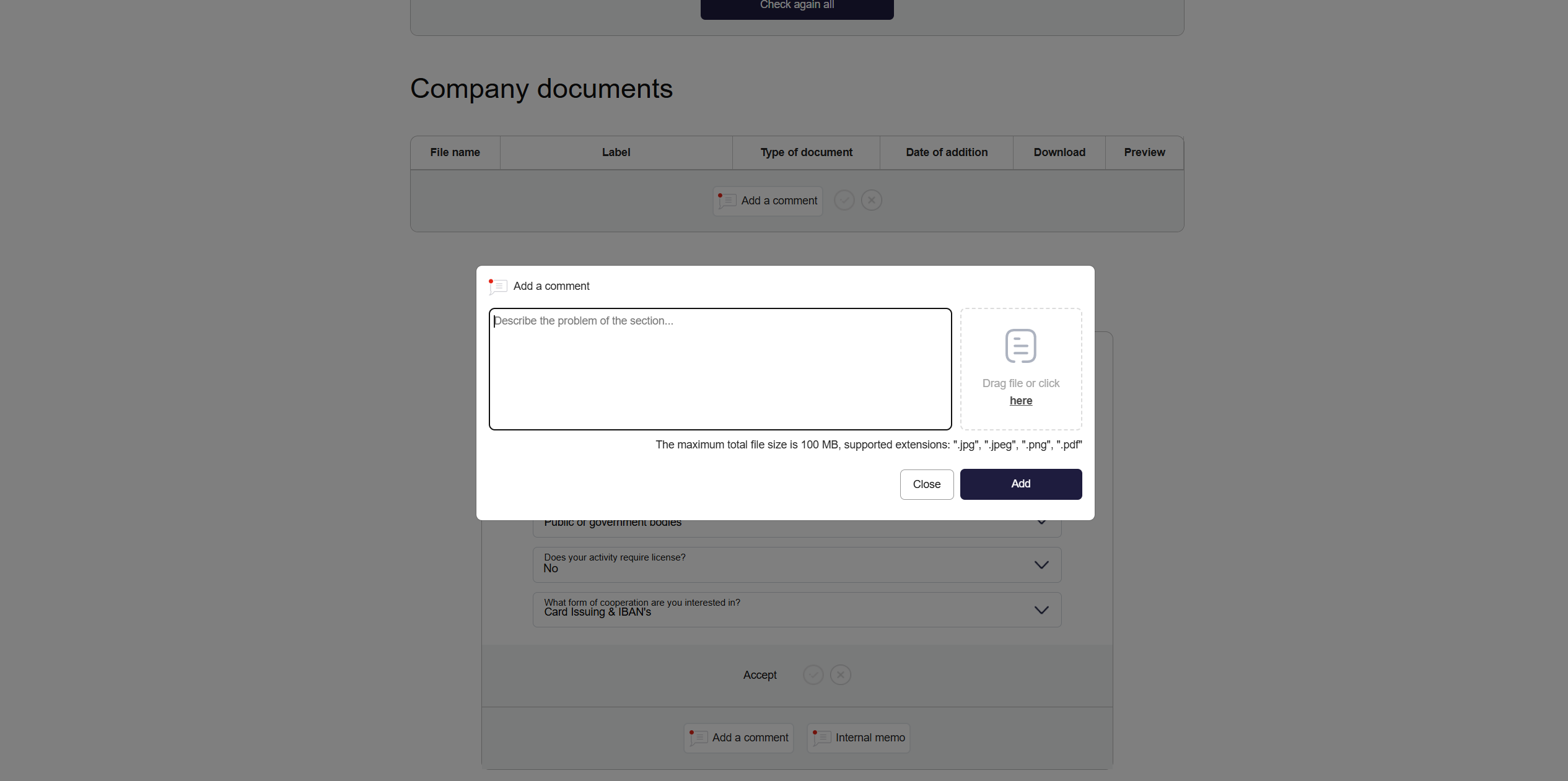
Verification
You can find more information in the Use Cases tab. |
|
|
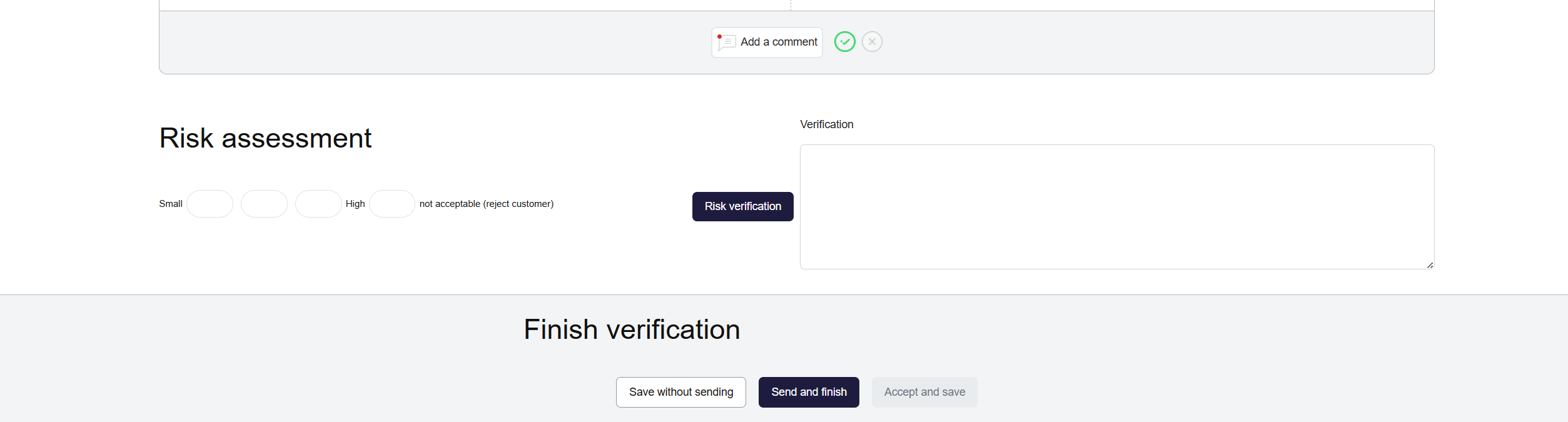
Risk Assessment and Verification Completion
|
|
|
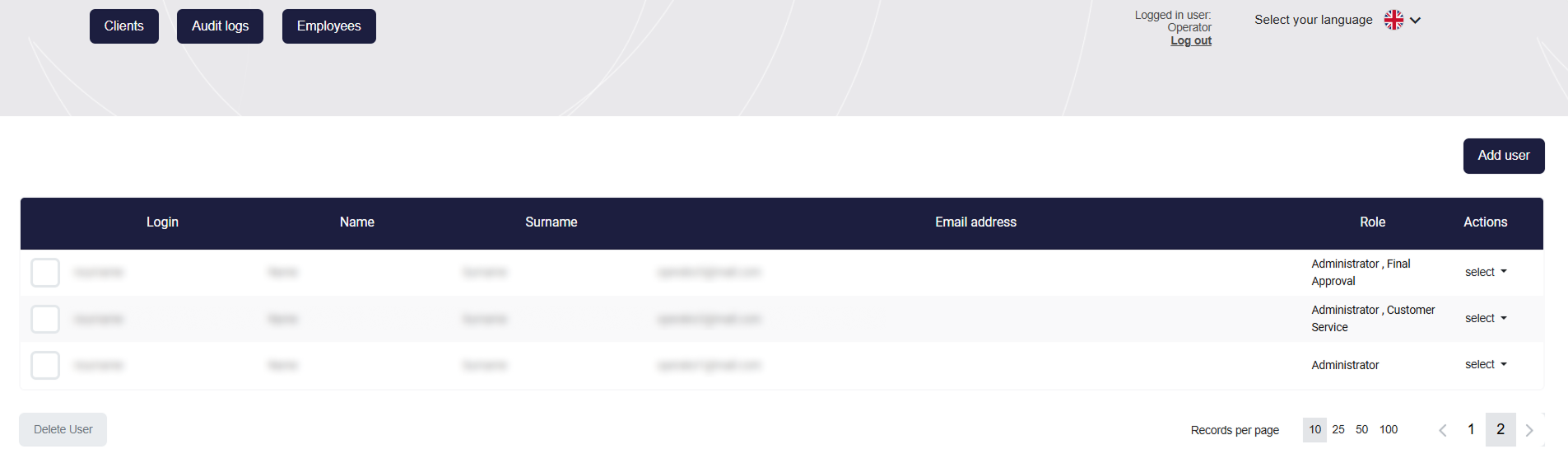
Permissions Management
Administrators can add accounts for employees and assign them specific roles. This allows for strict access control and division of responsibilities within the team. Additionally, notifications about the appearance of new applications can be configured. |
|
|
Audit logs
A global registry of all actions taken in the system by operators, the clients themselves, and by automatic rules. Audit logs are available globally and in the client card - regarding that customer. |
|
|
Client Card |
|


Use Cases
Registration
This module handles the full process of entering entity data into the system:
-
Filling out the form: The company representative independently entering registration data, information about representatives and UBOs, and attaching required documentation directly in the KYB Form.
👉 KYB Form description section
-
Manual entry: The operator creating a new client profile in the Administration Panel by providing their basic data, which triggers a registration invitation e-mail.
-
Finalization from the customer panel: The authenticated client logging into the dedicated panel to fill in informational gaps and upload missing documents indicated by the AML analyst during verification.
Communication
Managing the flow of information between the platform, the operator, and the business client:
-
Automated e-mails: System generation and dispatch of messages to the client's e-mail address at strictly defined points in the process:
-
After completing the first registration step (message with a session-securing link).
-
After submitting the complete form (confirmation message with a link to the Customer Panel).
-
After the operator adds a comment (notification about the need to correct data).
-
After application acceptance (message containing the generated framework agreement template).
-
After application rejection (information about the negative verification result).
-
-
Comments: Providing precise, one-way guidelines for the client by the operator, which are displayed directly in the Customer Panel interface.
Application Management
A comprehensive set of operational tools for analysts in the Administration Panel:
-
Marking sections: Manual validation and changing the status of individual application modules to verified.
-
Identity verification: Assessing the authenticity of submitted identity document photos and facial photos (selfies) of representatives and beneficiaries.
-
Sanction lists verification: Executing queries to check the data of entered entities and individuals against external, global restrictive databases.
-
Adding comments: Flagging incorrect data in the application and defining a corrective action for the client.
-
Internal notes: Saving operational remarks visible exclusively to other administration employees, bypassing the client.
-
Adding files: Directly uploading attachments (e.g., specific declaration forms) to the company's profile, for example, to be completed and re-uploaded by the company.
-
Risk assignment: Evaluating the application and assigning the appropriate risk level (scoring) to the client.
-
Acceptance or rejection: Making and confirming the final business decision regarding onboarding (acceptance requires prior section approval and risk assignment).
-
Periodic verification: Initiating a re-verification procedure for an active client to refresh and confirm their data after a defined period.
-
Exporting client profile: Generating a file containing the collected entity data.
-
Deleting application: Permanent removal of the application record from the database.
Permissions Management
Administering access and roles of the operational team:
-
Adding an employee: Creating a new account in the Administration Panel.
-
Editing an employee: Modifying the data assigned to the account and changing assigned roles, which dictate access to specific tabs.
-
Removing an employee: Total deactivation of the account and revocation of system permissions.
-
Notification configuration: Enabling or disabling e-mail notifications for a given account regarding the appearance of new applications in the system.
-
Final approval: Individually granting a selected employee the key flag authorizing them to confirm the "Accepted" status.
|
Role |
Administration |
Commerce |
Customer Service |
Customer Service Tech |
ESEC |
Legal |
Administrator |
Final Approval |
|
Adding a new client |
✅ | ✅ | ❌ | ❌ | ❌ | ❌ | ✅ | ❌ |
|
Client preview |
✅ | ✅ | ✅ | ✅ | ✅ | ✅ | ✅ | ❌ |
|
Data editing |
✅ | ✅ | ❌ | ❌ | ❌ | ❌ | ✅ | ❌ |
|
Preview of ID document scans |
✅ | ✅ | ✅ | ❌ | ✅ | ❌ | ✅ | ❌ |
| Client verification | ✅ | ❌ | ❌ | ❌ | ❌ | ❌ | ✅ | ❌ |
|
Risk assessment |
✅ | ❌ | ✅ | ❌ | ✅ | ❌ | ✅ | ❌ |
|
Final client approval |
❌ | ❌ | ❌ | ❌ | ❌ | ❌ | ❌ | ✅ |
|
Rejecting a client |
✅ | ❌ | ✅ | ❌ | ✅ | ❌ | ✅ | ❌ |
|
User management (adding, blocking users; granting permissions) |
❌ | ❌ | ❌ | ❌ | ❌ | ❌ | ✅ | ❌ |
Compliance Audit
Ensuring accountability and transparency of operations within the system:
-
Access to logs: Displaying the global or client-specific Audit logs registry. This compilation includes a chronological record of all system actions, status changes, and logins performed by both operators and clients.