| **Name** | **Description** |
| **KYB** | Know Your Business-process of verifying the identity and credibility of business clients. |
| **AML** | Anti-Money Laundering- refers to a set of procedures and regulations aimed at preventing money laundering and terrorist financing. |
| **KYB Form** | A form used to collect information about the verified merchant directly by the Representative. |
| **Customer Panel** | A panel that merchants can access after completing the form. It provides access to operator comments, data editing, and insight into the current verification status. |
| **Administration Panel** | It is a tool for carrying out the KYB process, communicating with merchants, and monitoring onboarding thanks to functionalities that enable a transparent and efficient process. |
| **Sanction list** | Sanction lists are official registers of individuals, companies, organizations, and even entire governments subject to restrictions imposed by states or international organizations. |
| **Step 1: Contact details**
The process begins with providing the basic details of the person initiating the registration: first name, last name, e-mail address, and phone number.
Importantly, right after this step, the system sends an e-mail to the provided address with a unique link to the registration process. This ensures the user doesn't lose the entered data and can click the link at any time to resume filling out the form exactly where they left off. | [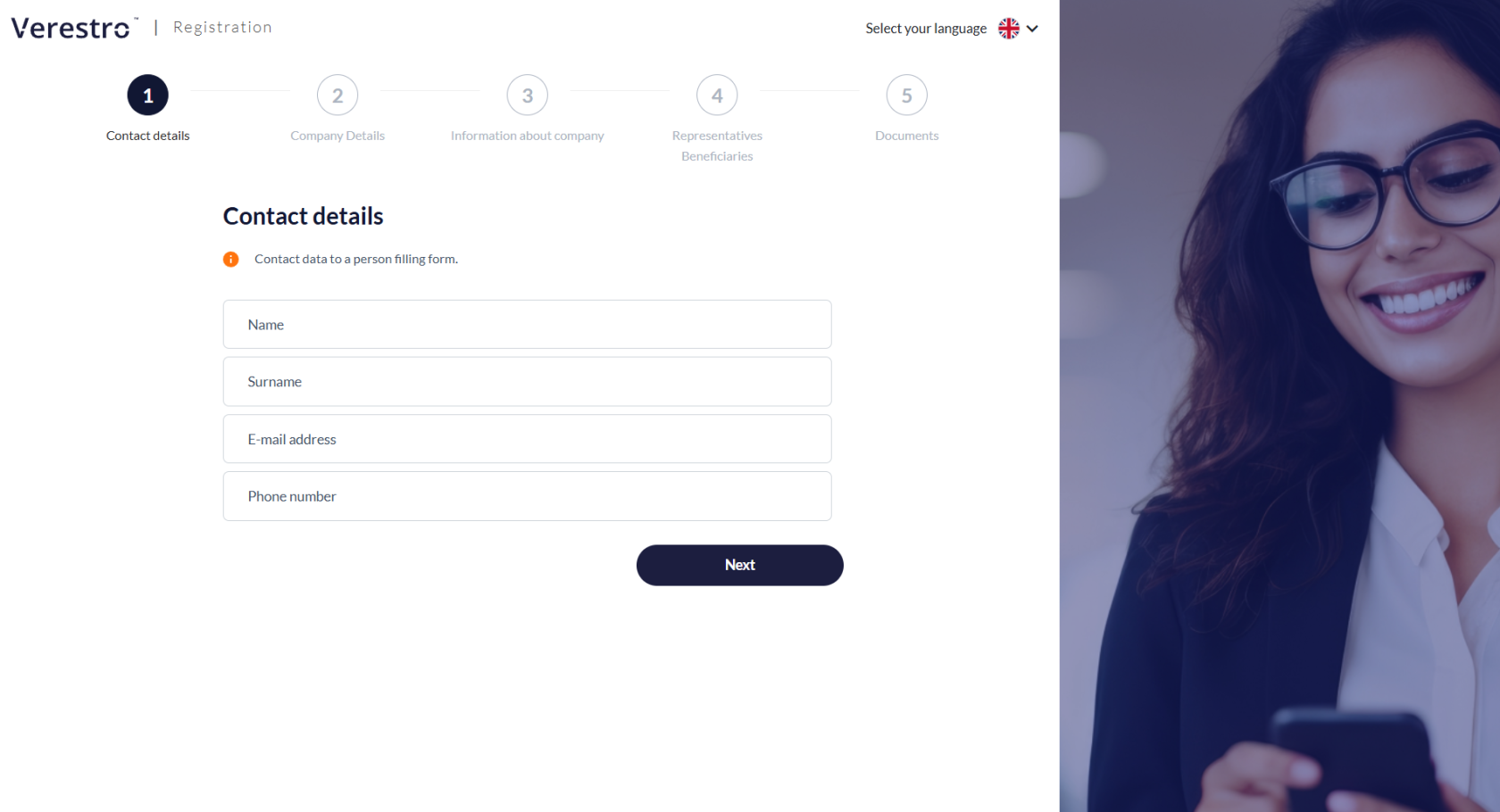](https://developer.verestro.com/uploads/images/gallery/2026-02/eYJcontact-details.png) |
| **Step 2: Business entity identification**
In this stage, detailed registration data of the enterprise must be entered. It is required to provide, among other things, the full company name, legal form, registered office address, and identification numbers such as NIP (Tax ID), REGON, and KRS number.
For Polish entities, based on the NIP (Tax ID), some fields will be filled in automatically. The NIP (Tax ID) cannot be edited at any stage by either the AML operator or by the client in the Customer Panel. | [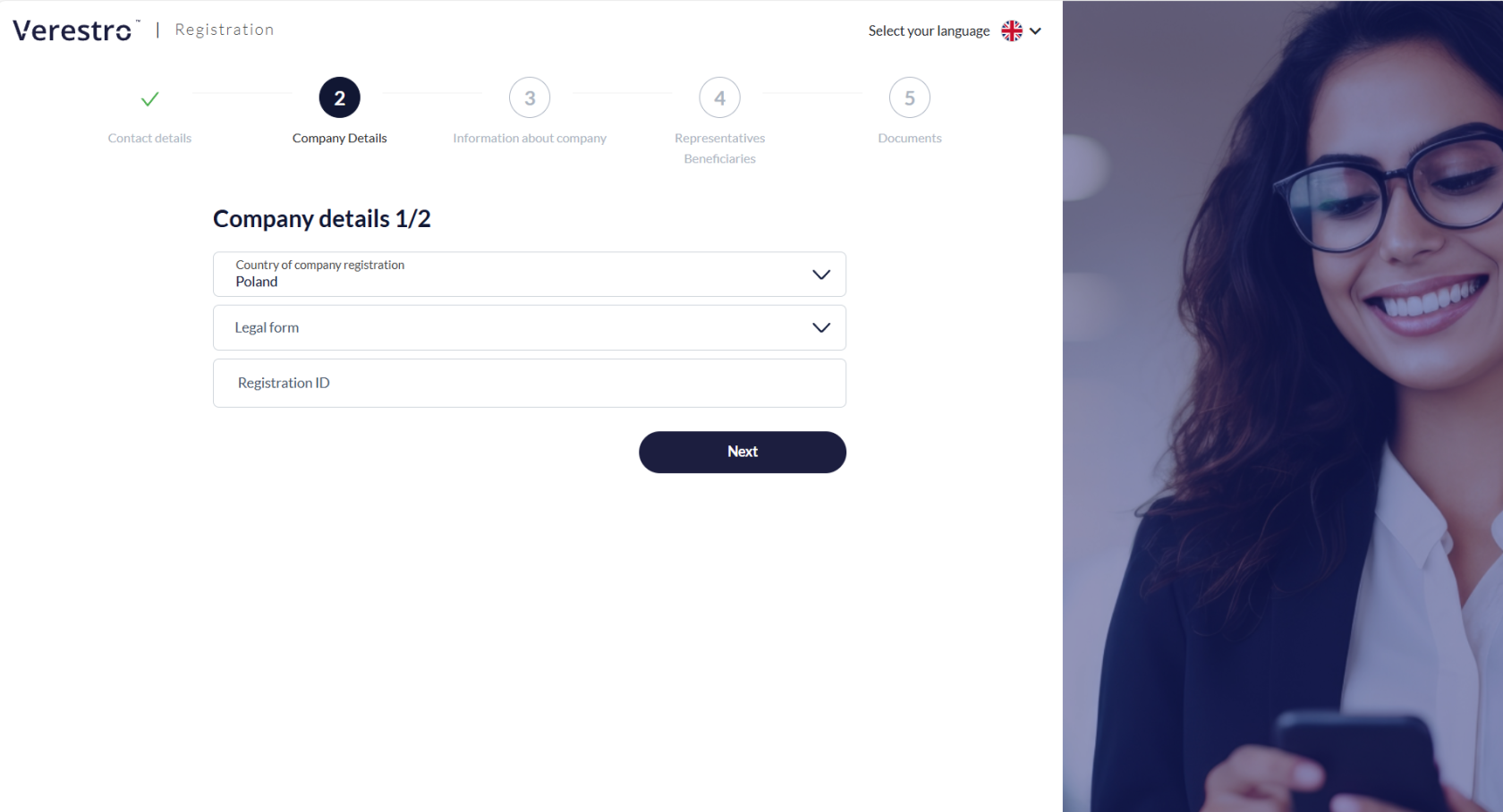](https://developer.verestro.com/uploads/images/gallery/2026-02/oYbcompany-details-1-2-without-confirmation.png) [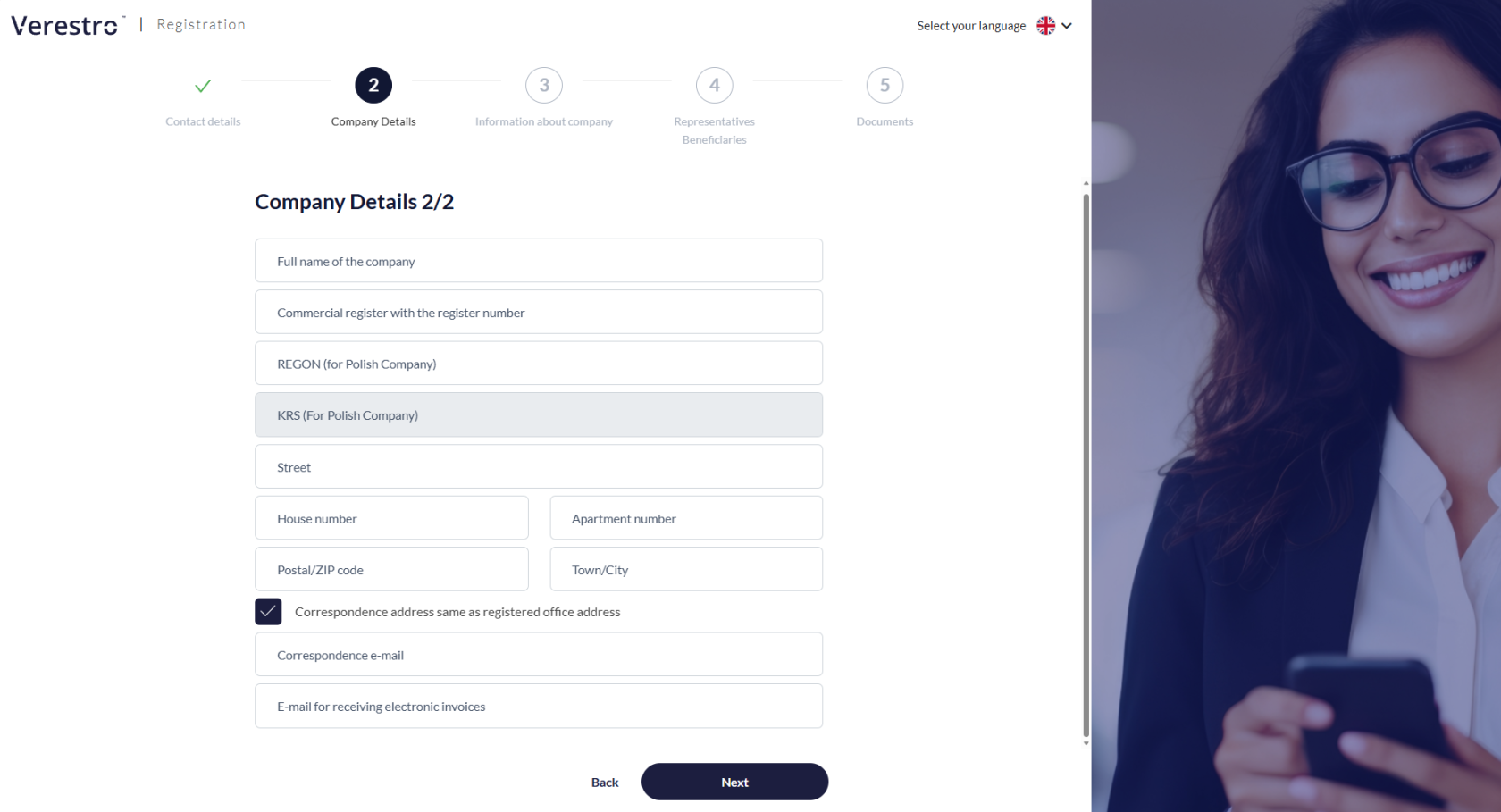](https://developer.verestro.com/uploads/images/gallery/2026-02/dzbcompany-details-2-2.png) |
| **Step 3: Business profile** The client must provide broader context regarding their company's business operations. It is required to provide the website address, specify the industry, and the type of the company's target customers. Additionally, if the company's activity is regulated, the user must indicate the requirement of holding appropriate licenses and provide their identifiers. | [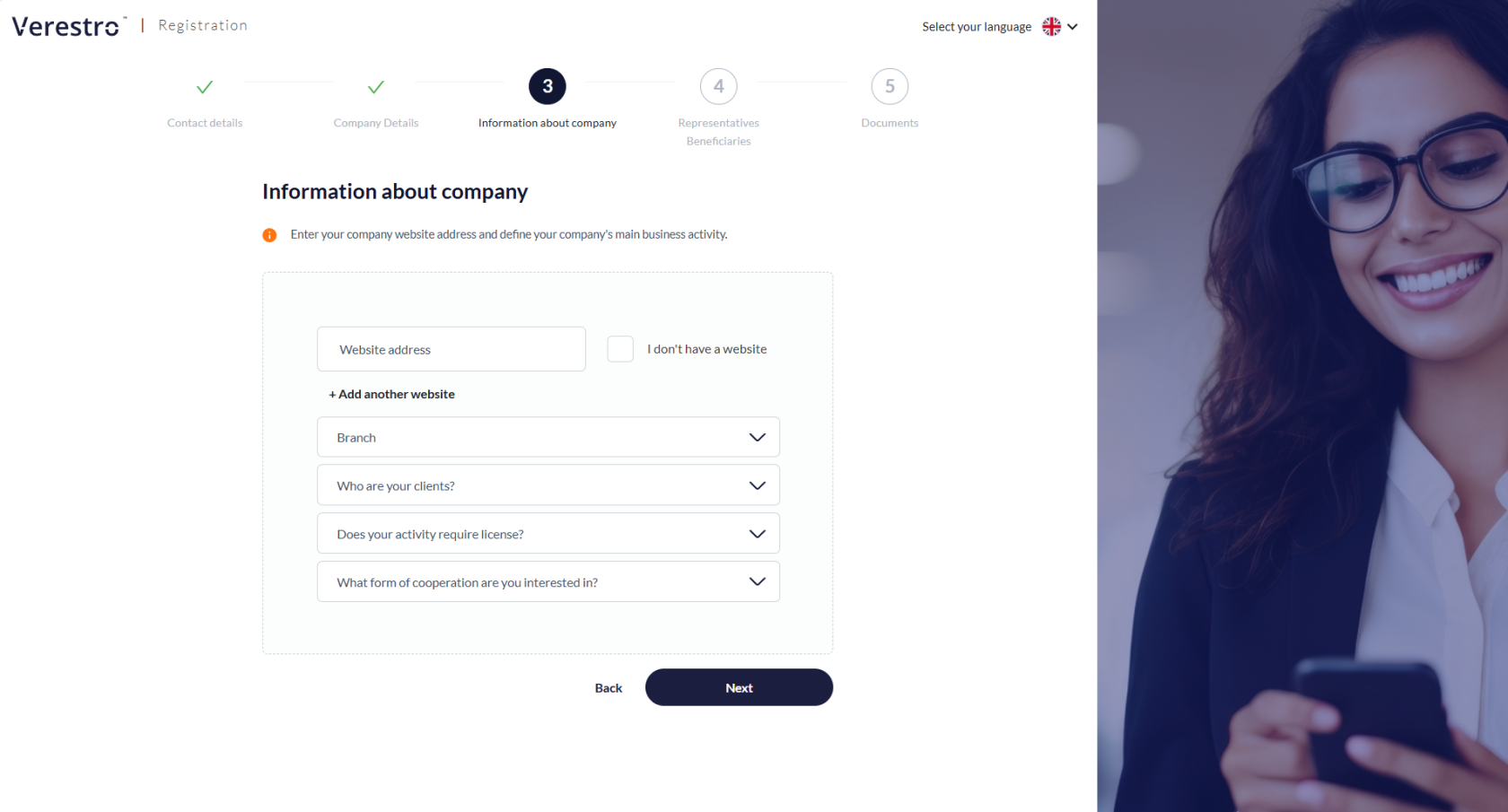](https://developer.verestro.com/uploads/images/gallery/2026-02/dpJinformation-about-company.png) |
| **Step 4: Representatives and Ultimate Beneficial Owners (UBO)** This step involves entering the details of individuals authorized to represent the company and conclude contracts. The UBO must additionally declare their shares and any other potential forms of control. The form is flexible and allows for the addition of multiple representatives and beneficiaries, depending on the company's ownership structure. | [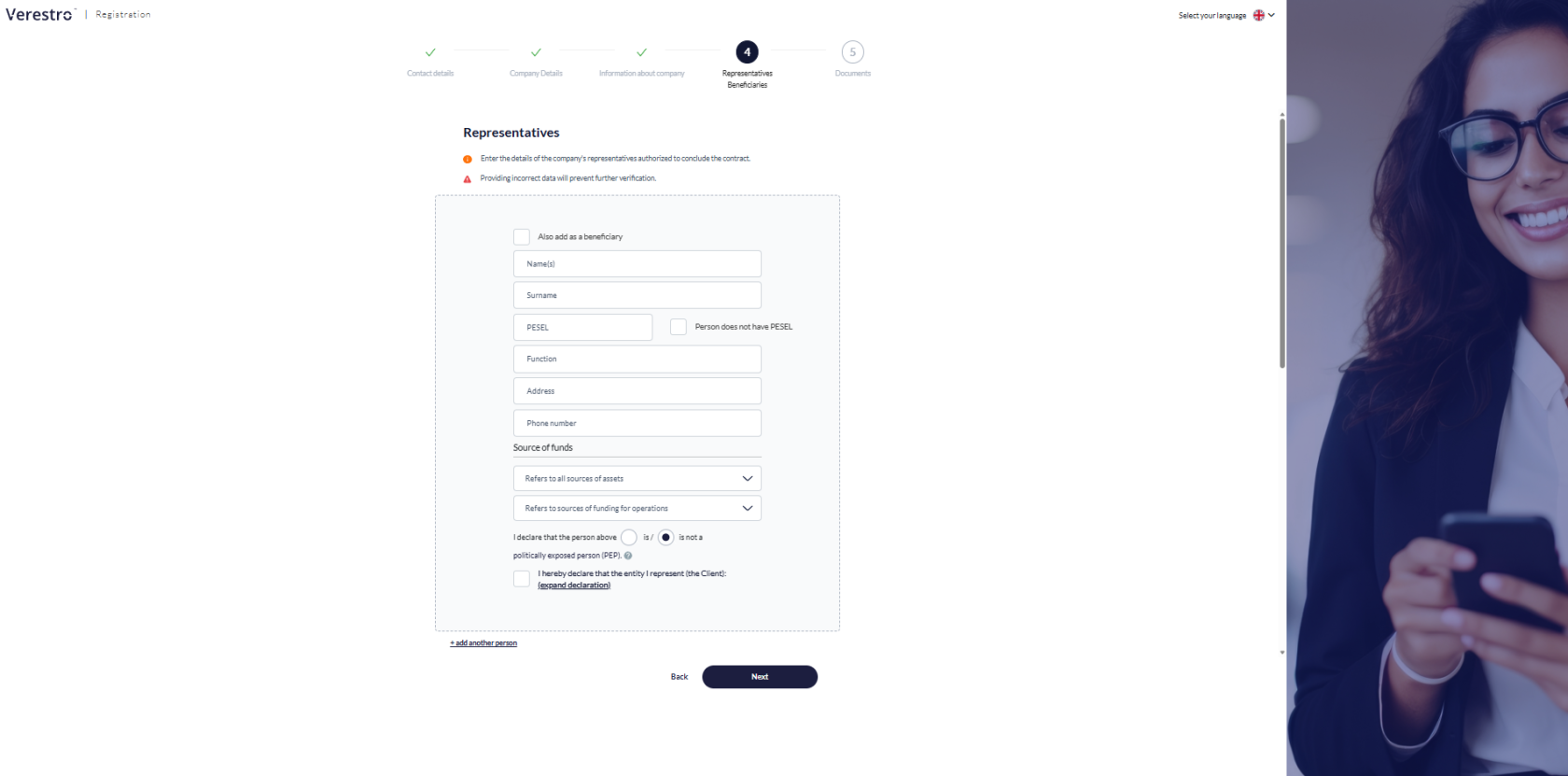](https://developer.verestro.com/uploads/images/gallery/2026-02/Dvbrepresentatives.png) |
| **Step 5: Identity verification and additional attachments**
The final stage is the authentication of the entered data. The user selects the type of identity document and then attaches clear photos of it (front and back) as well as a facial photo (selfie) of the previously indicated persons.
The client can upload additional documents or wait for contact from an AML department employee, who will precisely indicate what additional documents (e.g., shareholding structure) will be necessary for the successful completion of the verification.
After submitting the form, the client receives an e-mail confirmation of the application submission, and the status in the system changes. The documentation goes to the AML department, where an analyst begins the risk assessment. | [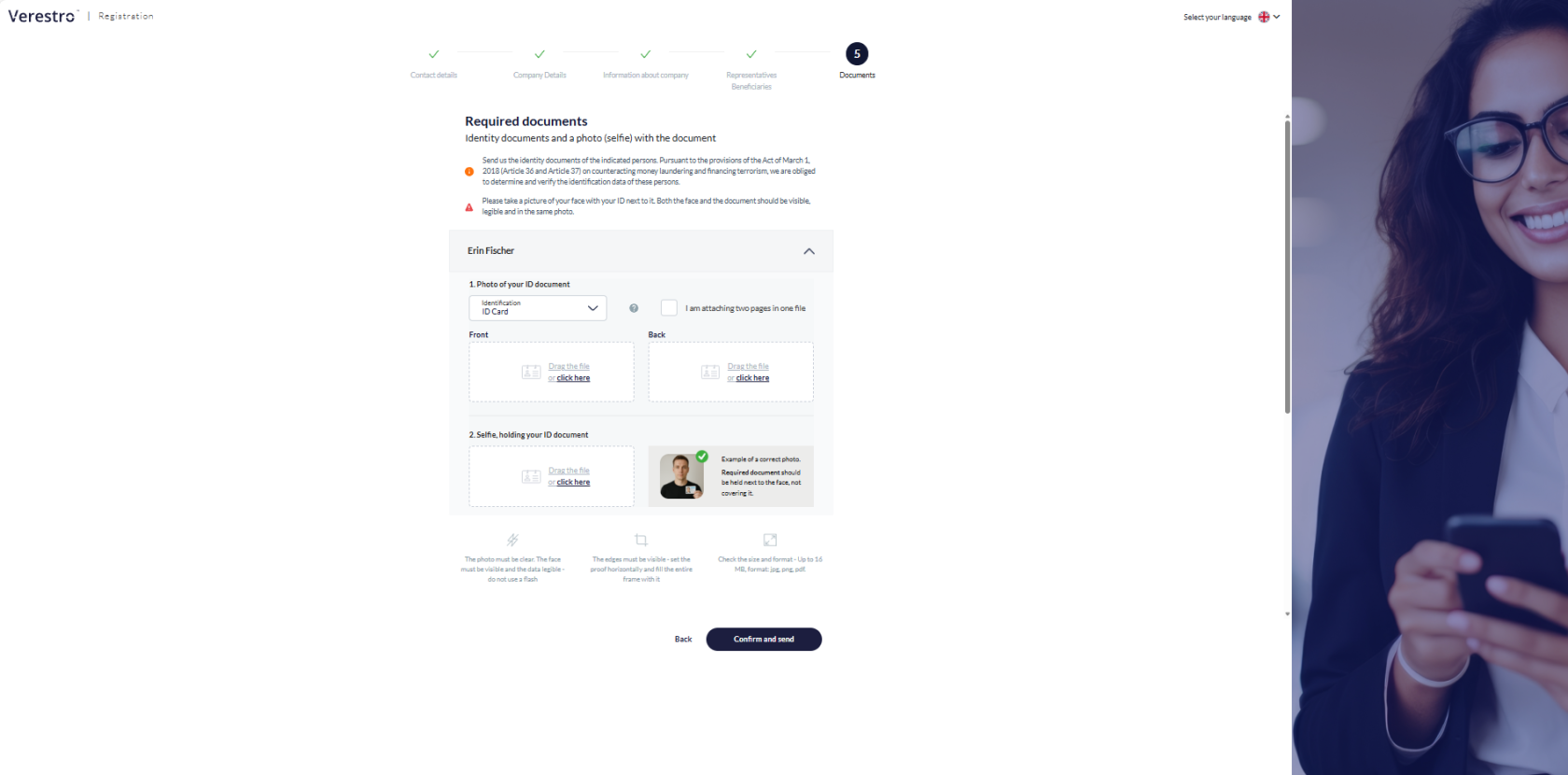](https://developer.verestro.com/uploads/images/gallery/2026-02/6pUrequired-documents.png) [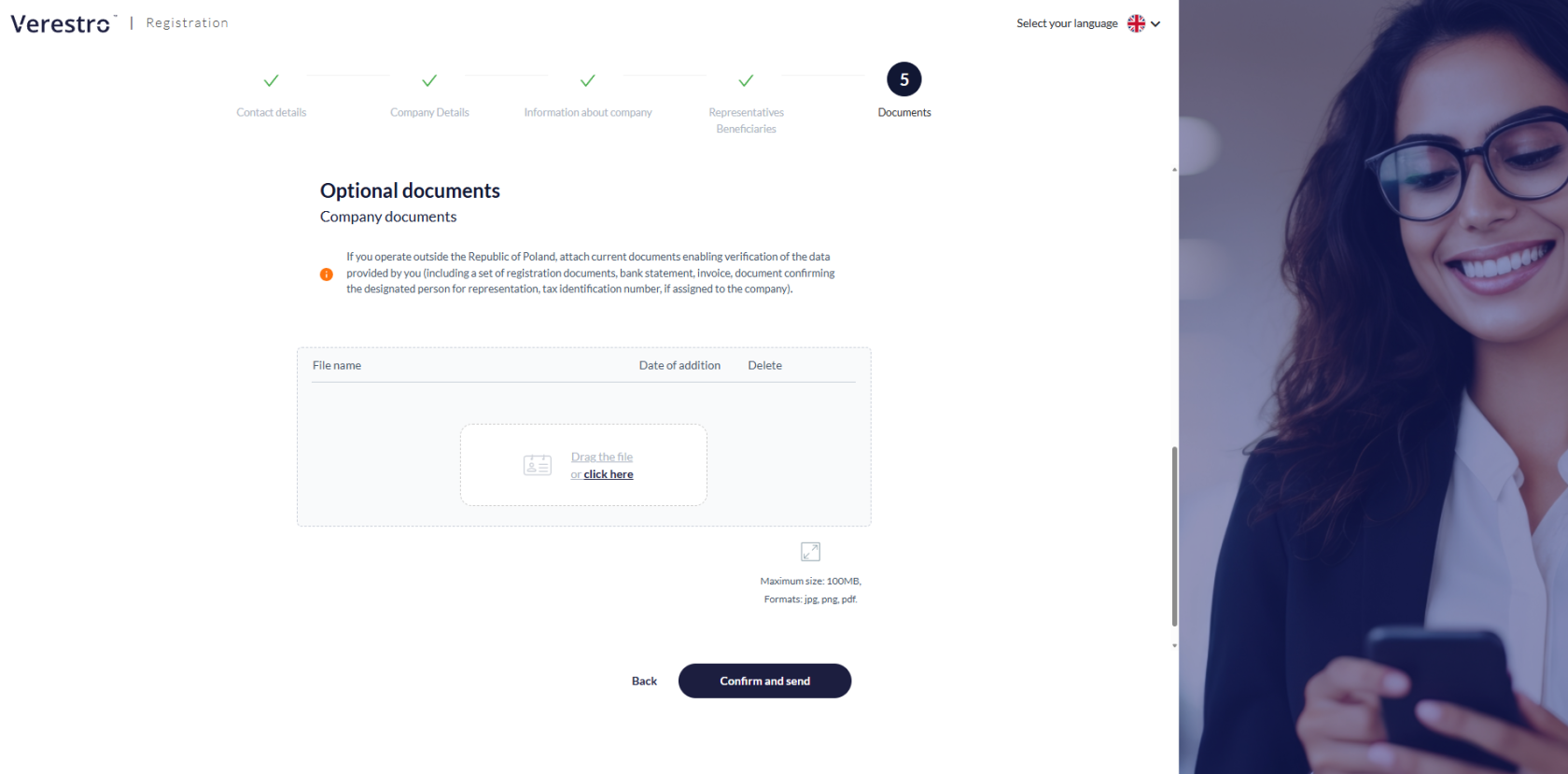](https://developer.verestro.com/uploads/images/gallery/2026-02/ay4optional-documents.png) |
Access to the panel is granted via a unique link sent in the e-mail confirming the receipt of the application.
The main functions and capabilities of the Customer Panel include:| **Real-time verification status tracking** The Customer Panel allows the user to continuously monitor the stage of their application (e.g., whether the documents are currently being analyzed or if the verification has been completed successfully). **Review of entered data** The client has access to the information and attachments provided while filling out the KYB form. This allows them to verify the correctness of the submitted registration data, as well as the information regarding representatives and ultimate beneficial owners (UBO). | [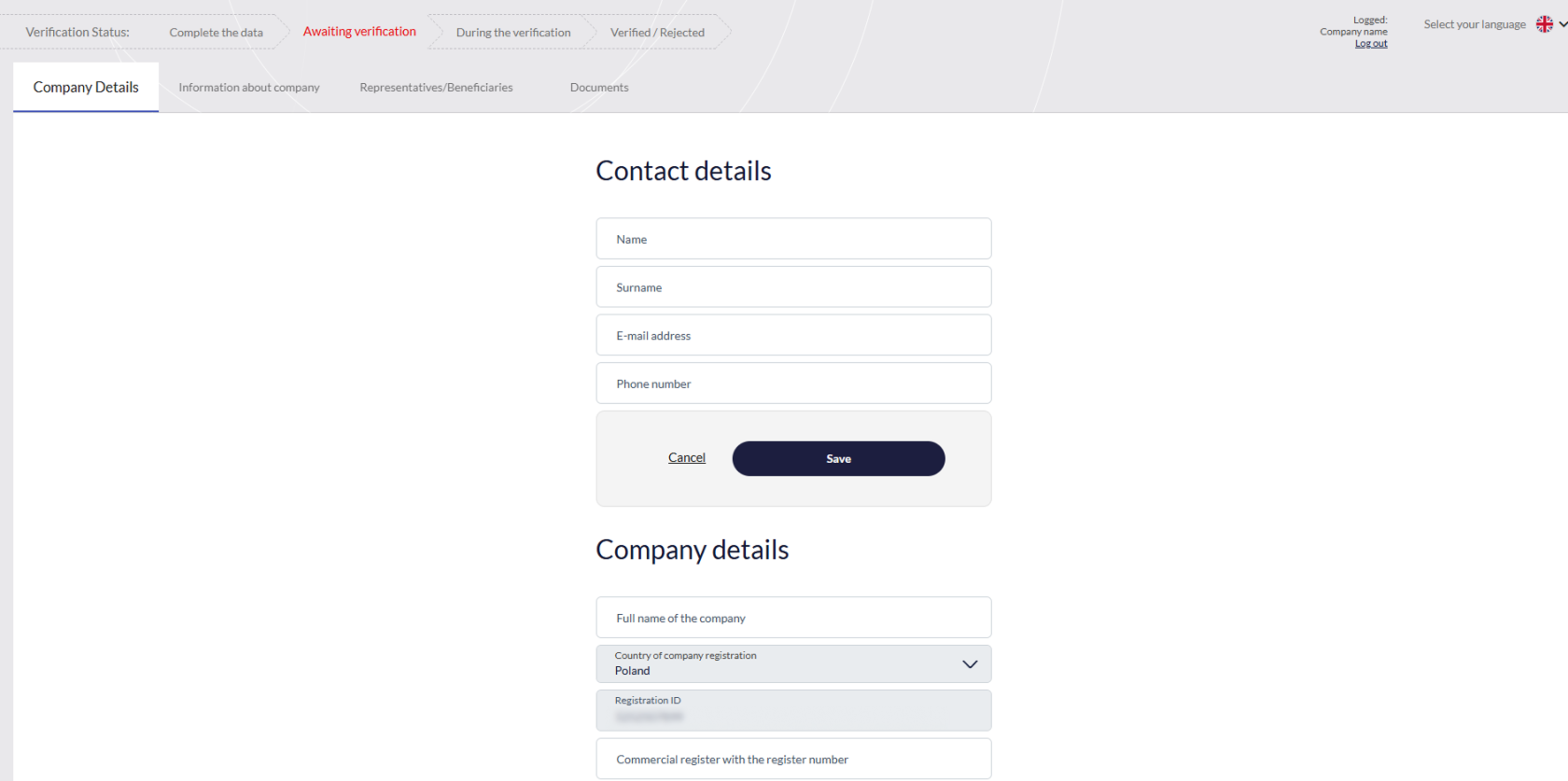](https://developer.verestro.com/uploads/images/gallery/2026-02/9iicustomer-panel.png) |
| **Receiving and handling comments from AML operator** If, during the verification process in the Administration Panel, an AML operator detects missing information, inaccuracies, or requires additional explanations, they will add an appropriate comment. The client will immediately receive an e-mail notification, and the content of the comment along with instructions will be displayed directly in the Customer Panel. | [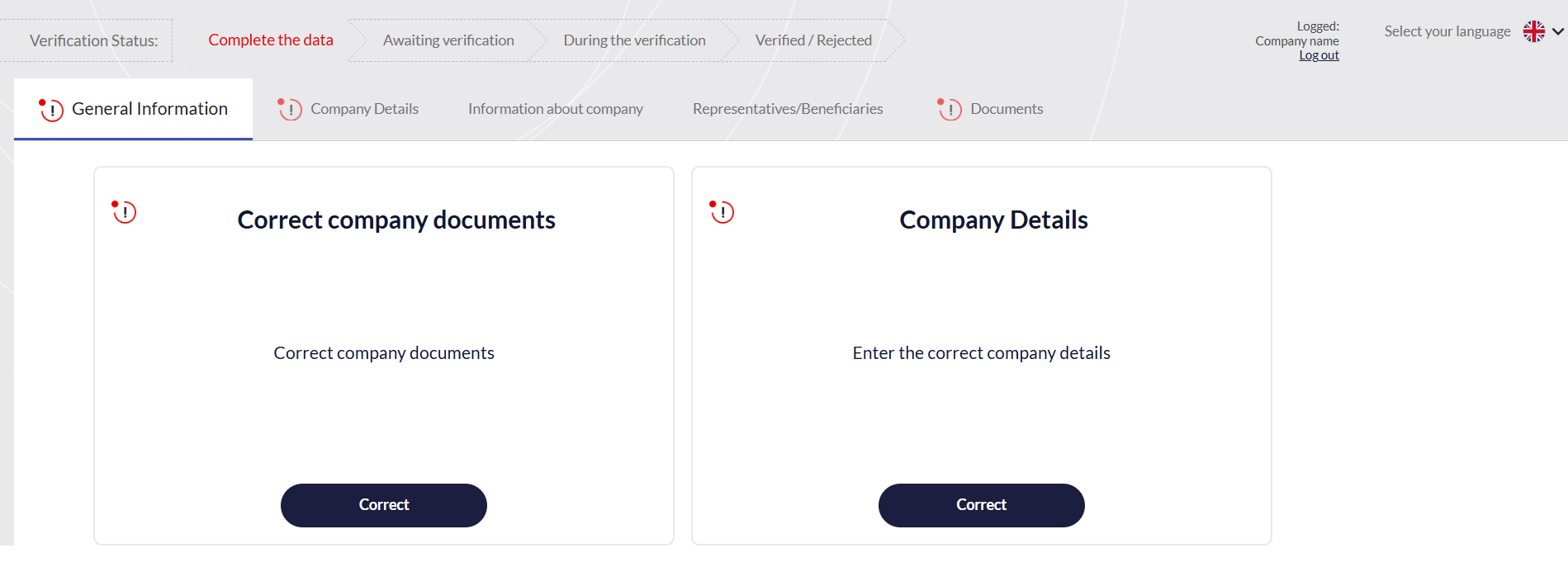](https://developer.verestro.com/uploads/images/gallery/2026-02/jLDcomments-in-customer-panel.png) |
| **Providing missing documents** The panel enables a quick response to analysts' requests. If an AML employee (using the "Documents" section in their panel) attaches a template, form, or declaration to be filled out, the client can download it from their panel. Subsequently, the user can securely upload and submit the required return files (e.g., an updated shareholding structure or additional photos of identity documents) without the need to use unsecured e-mail. | [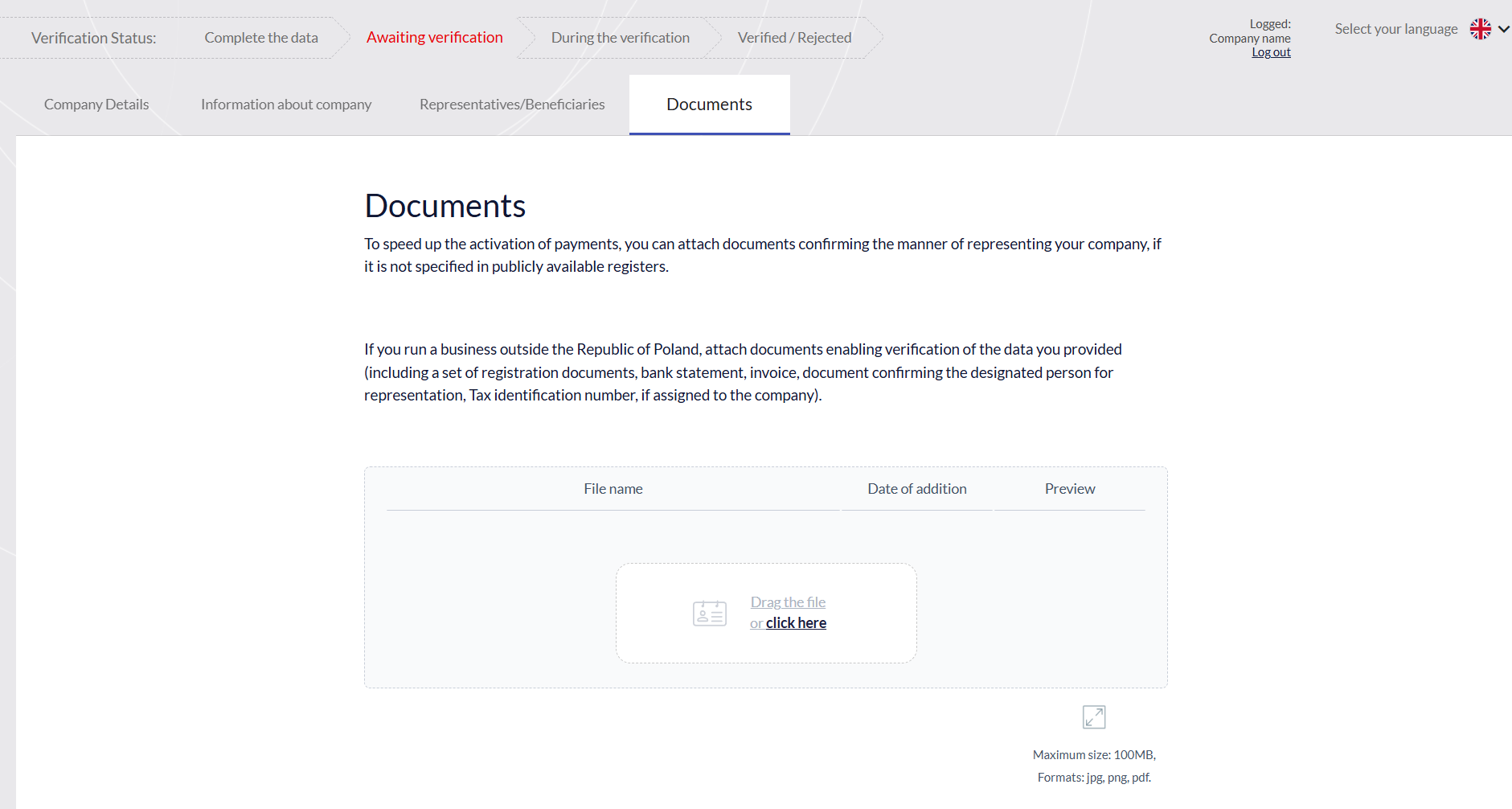](https://developer.verestro.com/uploads/images/gallery/2026-02/yT1image.png) |
| **Client Management** This tab provides a central view of all merchants who have started the registration process. Operators can search for entities using filters such as e-mail, Tax ID (NIP), or company name. The system automatically assigns statuses to clients reflecting the stage of their verification- from "New", through "To verify", "Waiting for data correction", up to the final "Accepted" or "Rejected". | [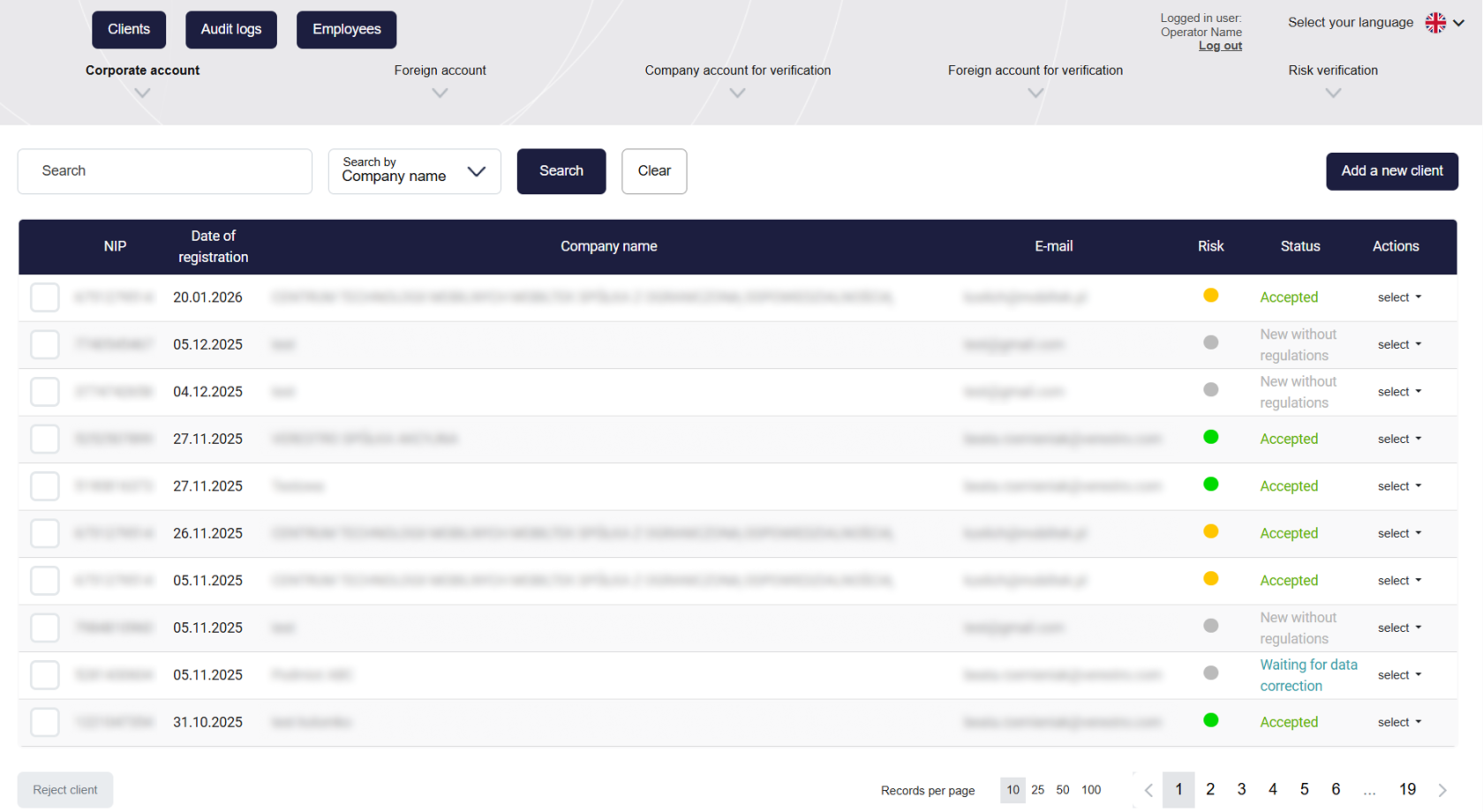](https://developer.verestro.com/uploads/images/gallery/2026-02/main.png) |
| **Verification**
This is the most important operational section where the analyst takes specific actions regarding the application. It offers, among other things:
- full access to all information entered by the client in the KYB form,
- sending files to the client for completion,
- verification against sanction lists,
- one-way communication to the client via "comments",
- creating internal notes.
You can find more information in the Use Cases tab. | [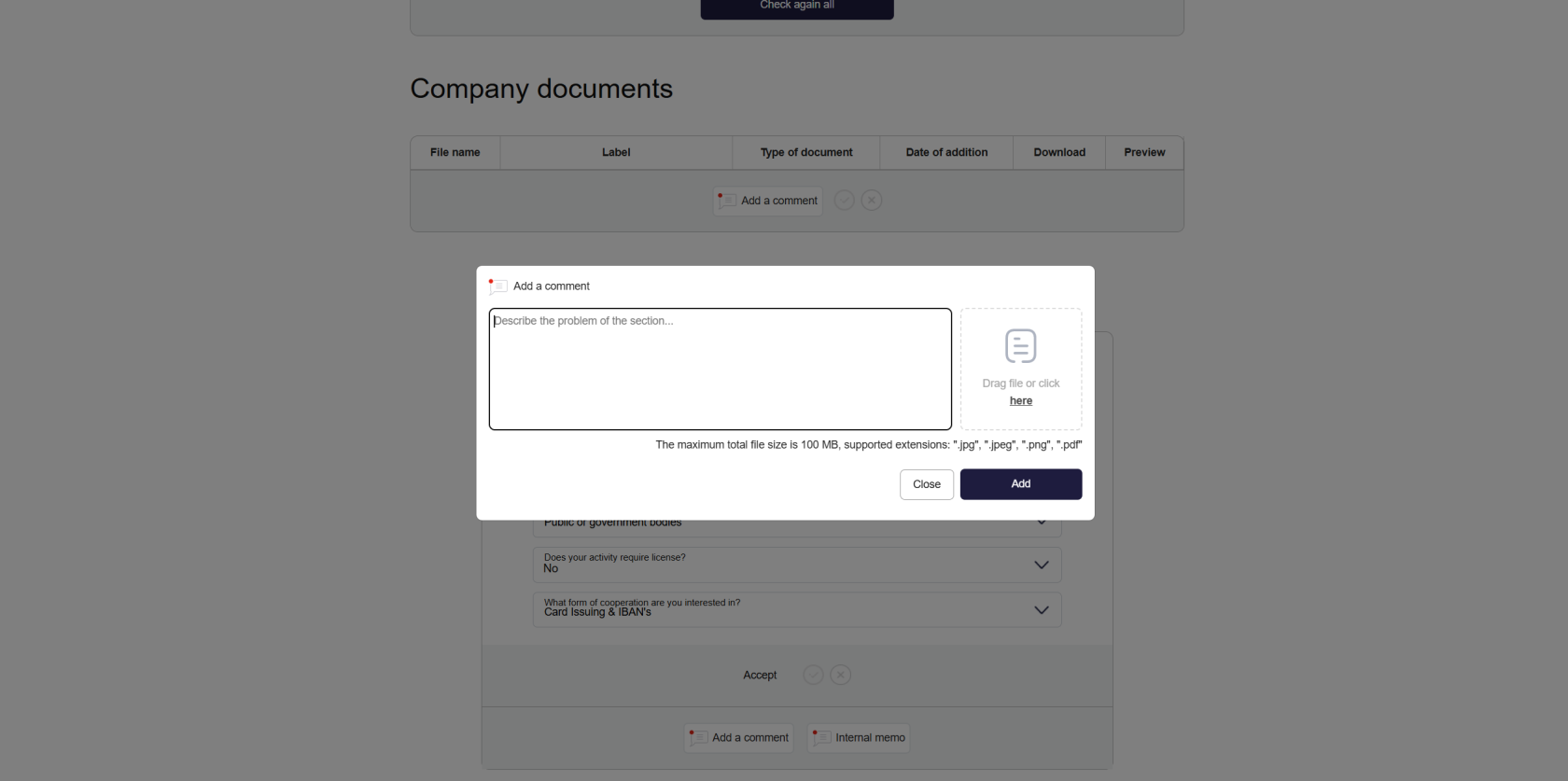](https://developer.verestro.com/uploads/images/gallery/2026-02/Yz4image.png) |
| **Risk Assessment and Verification Completion** To complete the verification, the analyst must first review and accept all sections of the application, and then assign an appropriate risk level to the entity. After the final approval of the process, the system automatically sends an e-mail to the client with the decision (acceptance or rejection) and – in the case of a positive verification – attaches a framework agreement template. From this point on, the client's data is locked for editing unless the operator initiates the "periodic verification" procedure. | [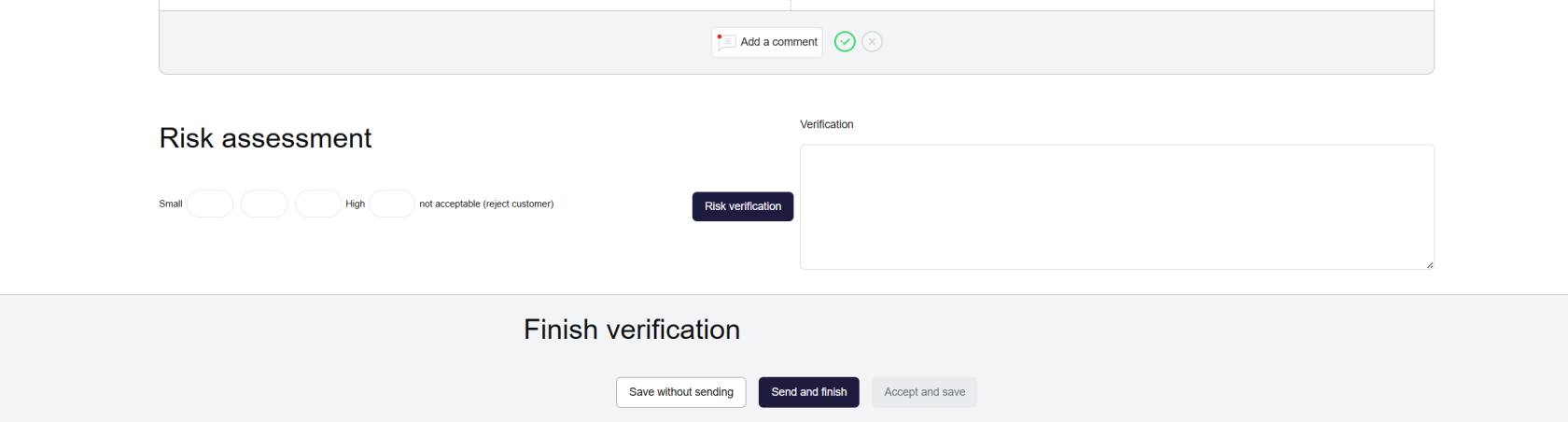](https://developer.verestro.com/uploads/images/gallery/2026-02/iSzimage.png) |
| **Permissions Management** Administrators can add accounts for employees and assign them specific roles. This allows for strict access control and division of responsibilities within the team. Additionally, notifications about the appearance of new applications can be configured. | [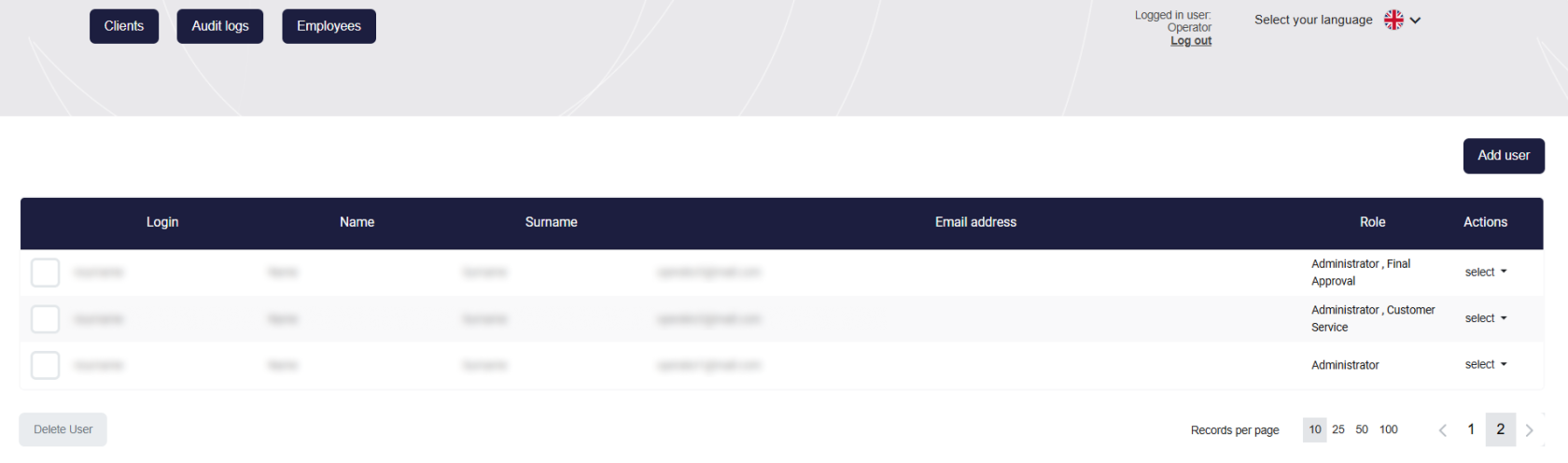](https://developer.verestro.com/uploads/images/gallery/2026-02/empolyees.png) |
| **Audit logs**
A global registry of all actions taken in the system by operators, the clients themselves, and by automatic rules.
Audit logs are available globally and in the client card - regarding that customer. | [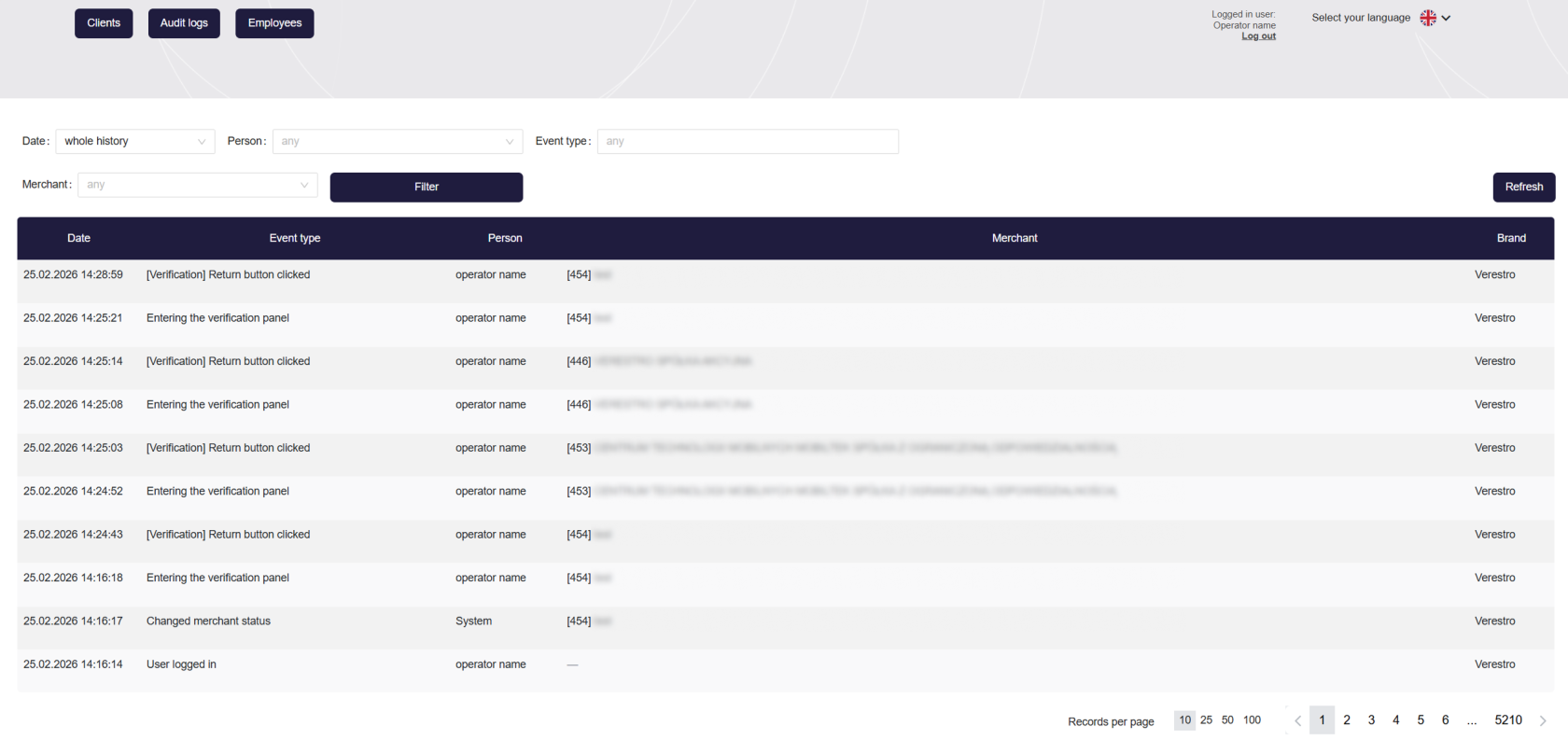](https://developer.verestro.com/uploads/images/gallery/2026-02/audit-logs.png) |
| **Client Card** This is a simplified view intended for employees (e.g., from the sales or customer service department) who do not have permissions to edit and conduct verifications but need real-time access to the client's status, their basic data, and the history of actions taken in the system. | [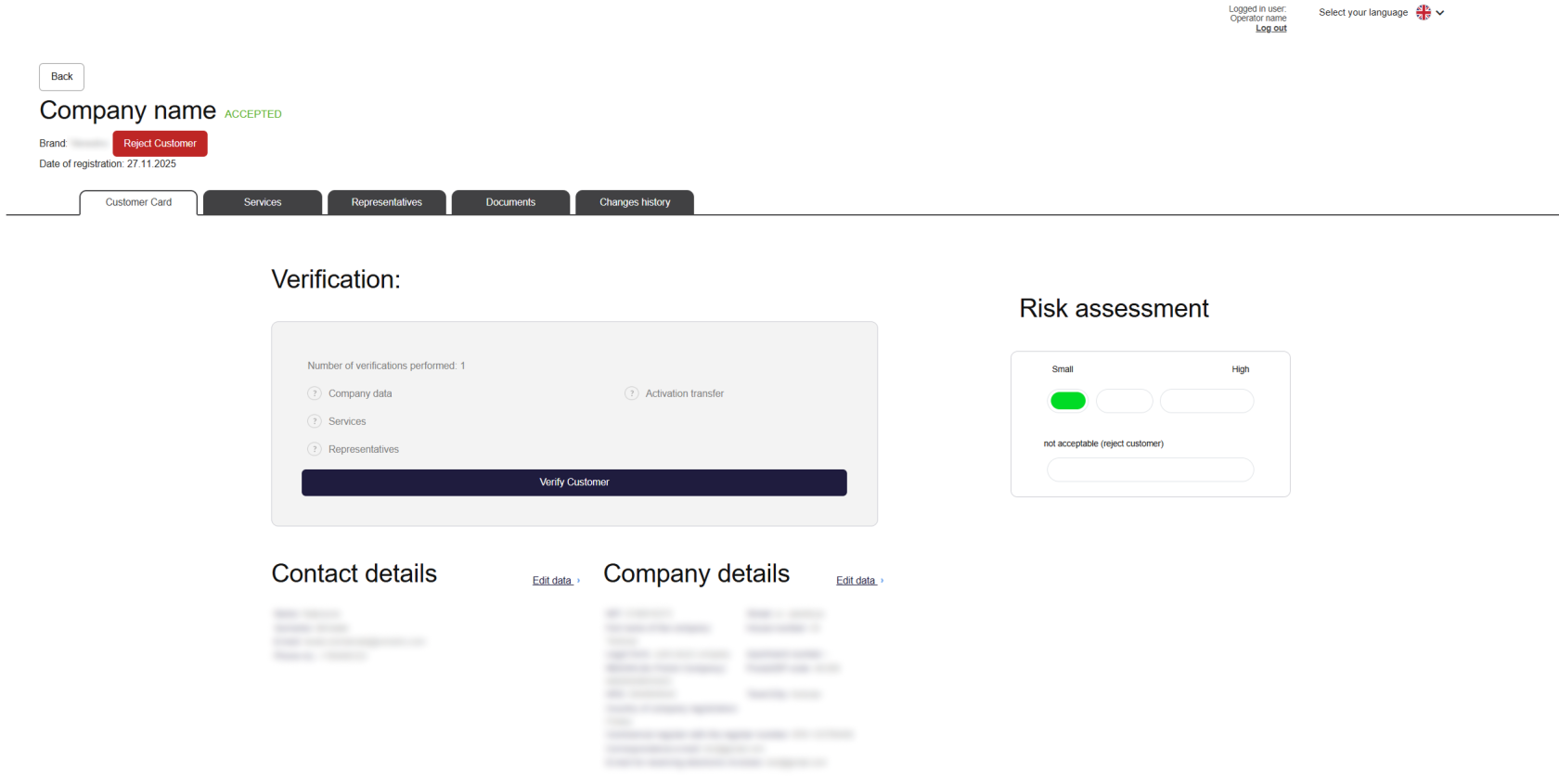](https://developer.verestro.com/uploads/images/gallery/2026-02/client-card.png) |