# Physical Cards Design
### Required Design Specifications for Graphic Designers and Customers Required
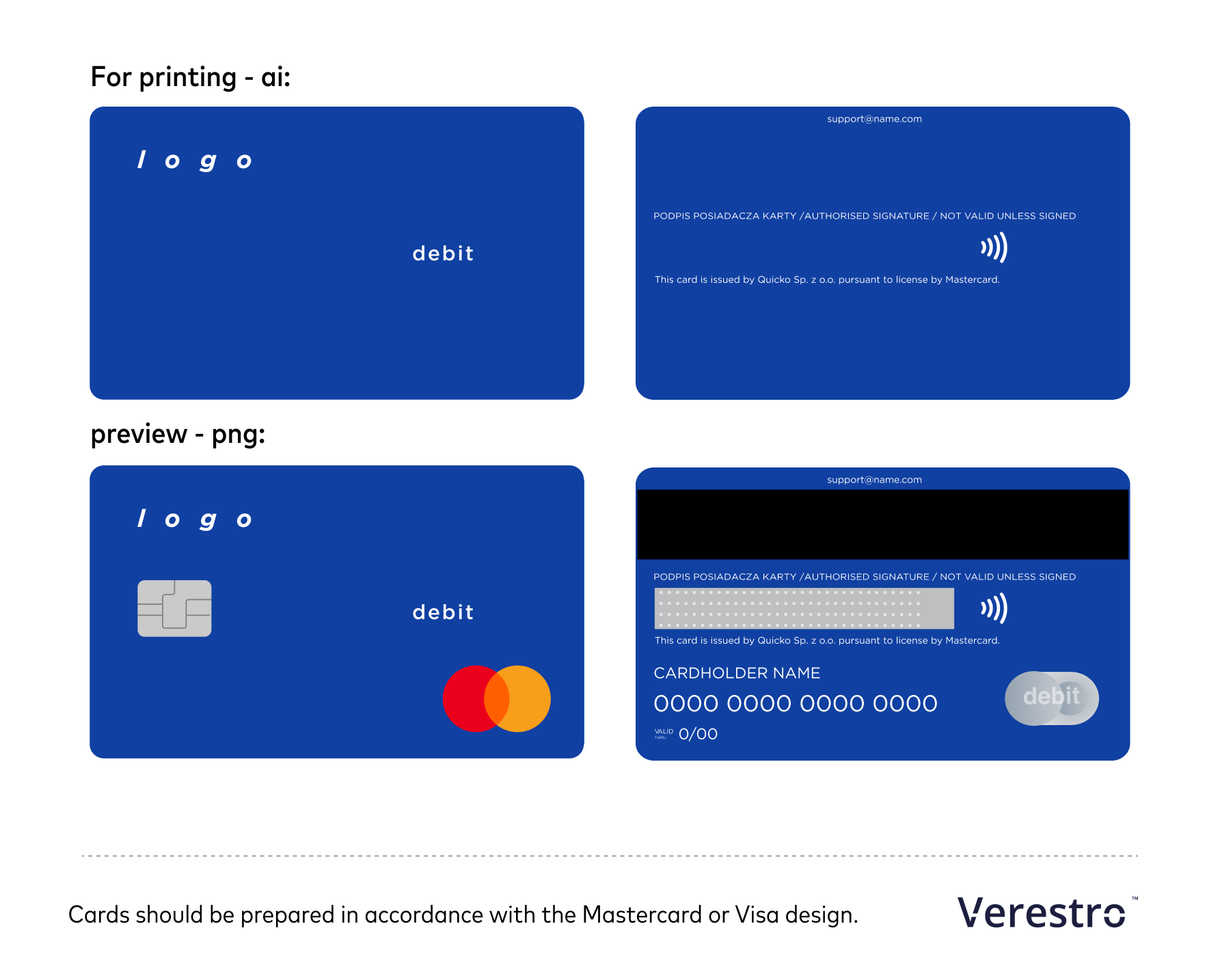
You should prepare **two files**:
- **Preview (png).**
- **For printing (pdf, ai).**
**For printing (pdf, ai):**
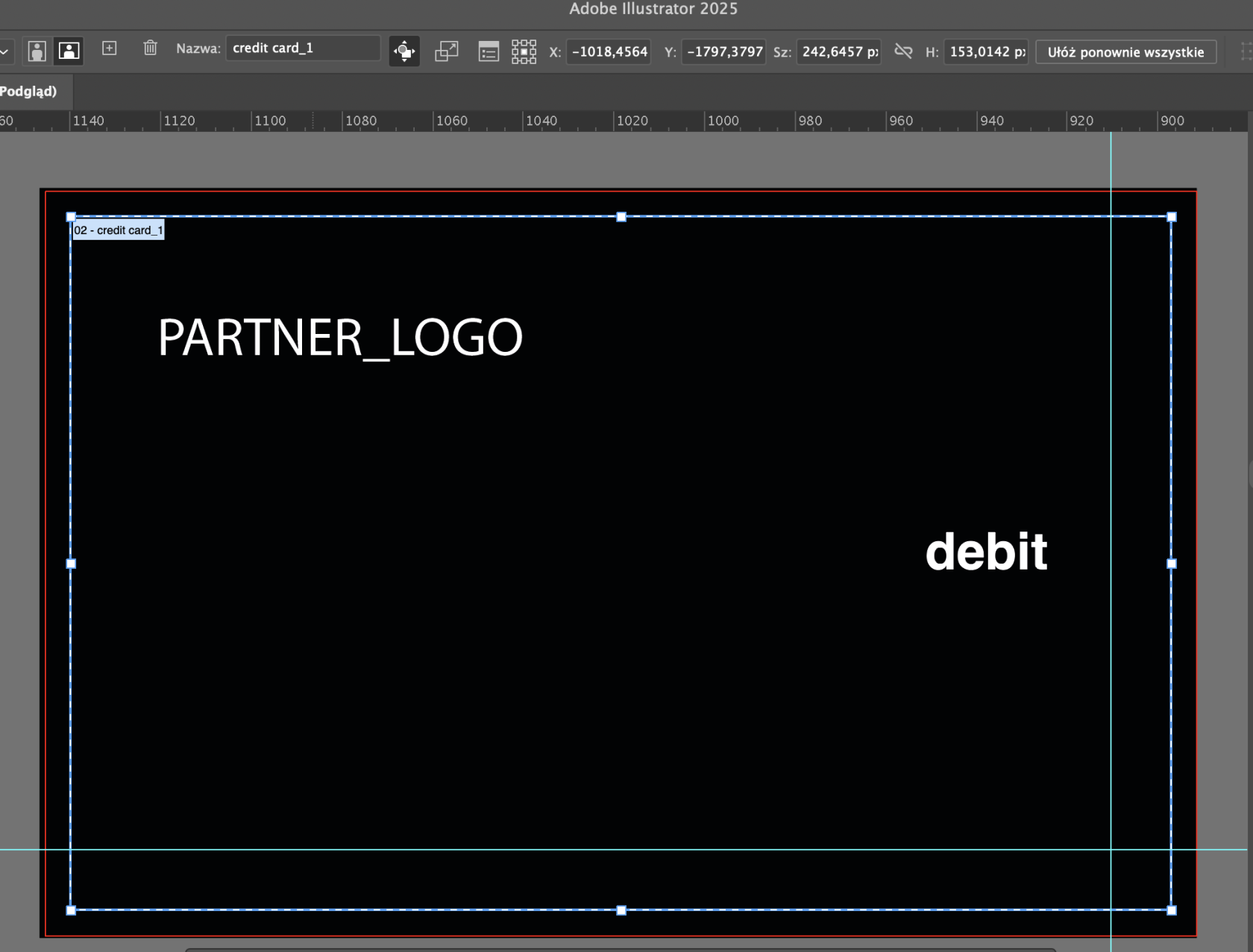
1. Sizes required : **242 px x 153 px (The workspace in Adobe Illustrator should be exactly this size!)**
2. Bleeds: **5 mm** Below is a preview of the view in Adobe Illustrator. Note the size of the workspace and the visible bleeds (red line).
[](https://developer.verestro.com/uploads/images/gallery/2025-04/e8Vimage.png)
3. Placed logos should be sent as **vector graphic** (paths, curves).
4. Colour images should have at least **300 dpi** print resolution.
5. Indicate the fonts used and save them on the data carrier or **convert any text to curves**.
6. On the printing card we put only:
- Your logo (vector).
- Authorized signature.
- All texts. This text "This card is issued by ... " is required.
- Custom service
- Category Identifier (**"credit", "debit" or "prepaid"**)
- Contactless symbol. [](https://developer.verestro.com/uploads/images/gallery/2025-04/nfc-black.png)
**Preview (png): **
The preview includes **all elements** as for printing. Additionally, you need to include elements such as: Contactless Indicator, Mastercard Brand Mark, chip, signature panel (optional) & signature legend (optional), cardholder, card number, magnetic stripe, Mastercard hologram, valid thru.
more inspiration: [https://www.figma.com/design/MY1hIQy8YdvEl9WEuqeqI3/Physical-cards?node-id=239-42&t=Ro7GQEsQjRX0CML3-1](https://www.figma.com/design/MY1hIQy8YdvEl9WEuqeqI3/Physical-cards?node-id=239-42&t=Ro7GQEsQjRX0CML3-1)
**Don’t forget!
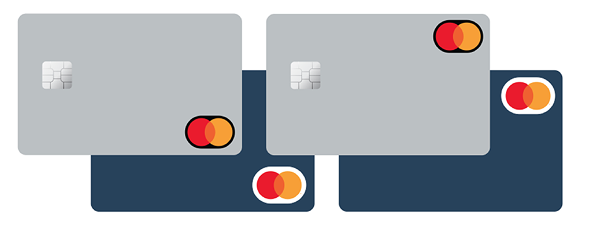
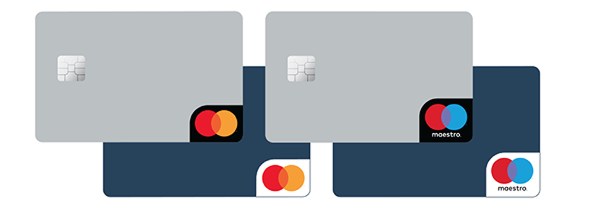
Safety shape.** If the card background blends with the Mastercard Symbol and reduces its visibility, a **safety shape** must be used to ensure sufficient contrast. Mastercard allows two forms: **oval** (an oval around the mark) or **corner** (a black or white corner shape). This guarantees the symbol remains clear and readable.
[](https://developer.verestro.com/uploads/images/gallery/2025-11/nw3safety-shape-1.png)
[](https://developer.verestro.com/uploads/images/gallery/2025-11/BT4safety-shape-2-1.png)
[](https://developer.verestro.com/uploads/images/gallery/2025-04/rgbimage.png)
For a more detailed description of how to prepare the card and its appearance options, see the [Mastercard Design Specifications](https://www.mastercard.com/brandcenter/en/download-artwork) for Graphic Designers and Customers.
**Download the Mastercard logo in SVG format for your project:**
[](https://developer.verestro.com/attachments/20)
**Download the NFC symbol in SVG format:**
[](https://developer.verestro.com/attachments/26)